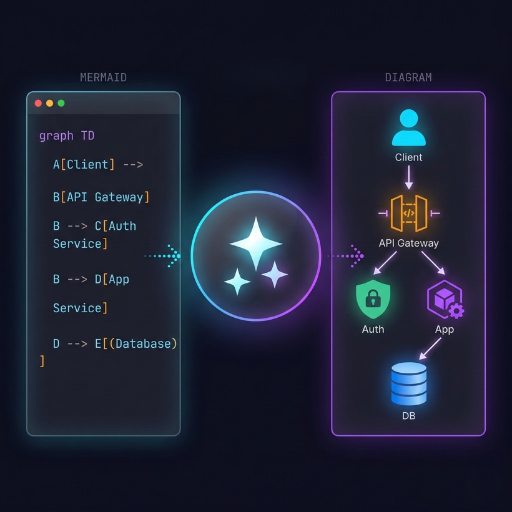
diagram-designer
Diagram Designer empowers software architects and DevOps engineers to convert Mermaid code into professional PNG architecture diagrams up to 2K resolution. Select from 5 styles (cloud, isometric, blueprint, whiteboard, darkmode), aspect ratios for presentations (16:9), docs (4:3), or social (1:1), plus AWS/GCP/Azure palettes and detail levels from overview (5-8 blocks) to full (15-25). Receive a secure download link (expires in 1 hour) via the generate_diagram_image tool in ~50-110 seconds.
How to pay
Subscribe
$5/month
Predictable monthly cost with included usage. Best for steady, high-volume traffic.
- Unlimited tools within plan limits
- One API key, billed once a month
- Cancel any time
What is Diagram Designer?
Turn your Mermaid diagrams into stunning, presentation-ready architecture diagram images — in under 2 minutes.
Example Outputs
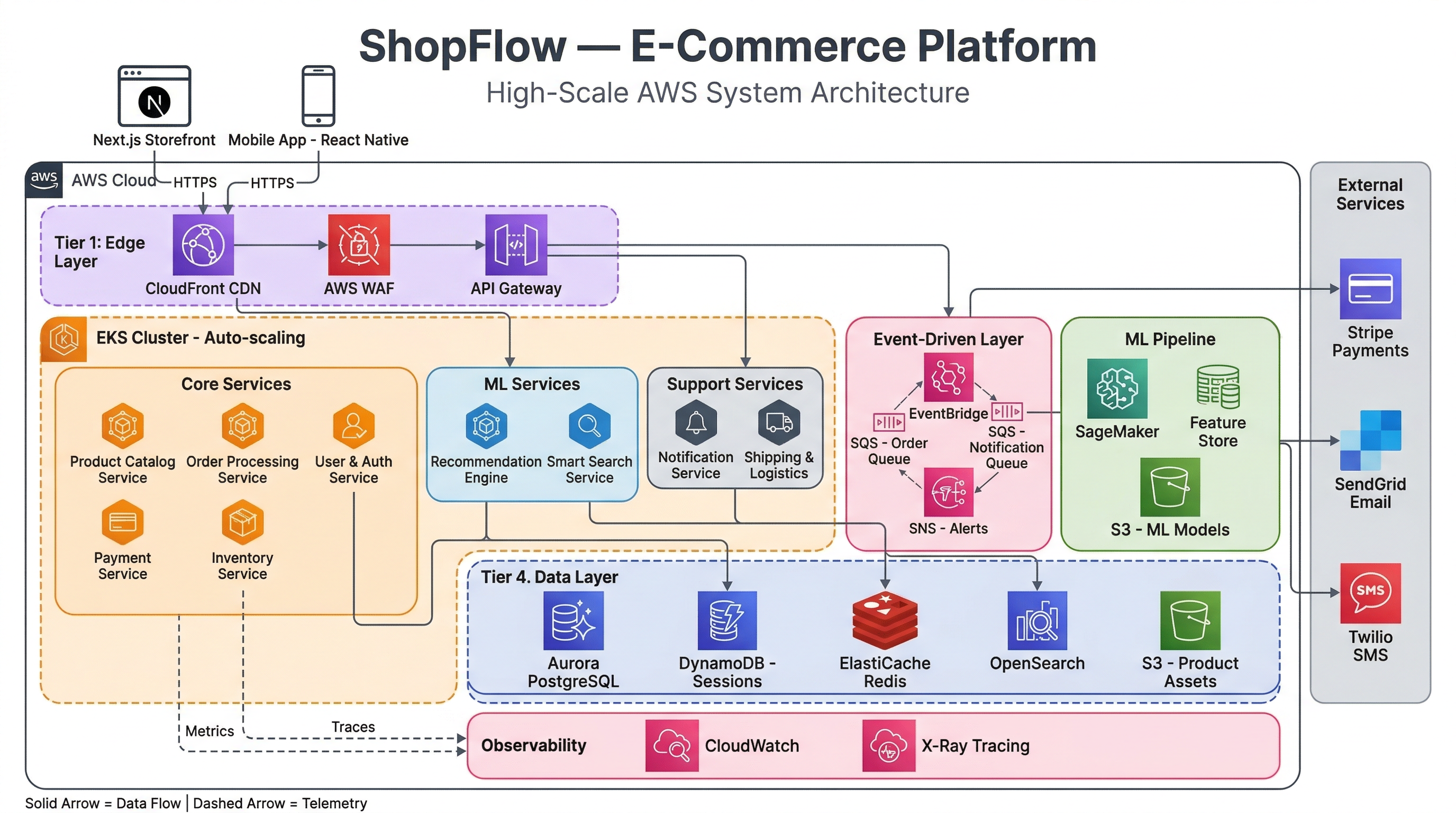
Cloud Style — E-Commerce Platform
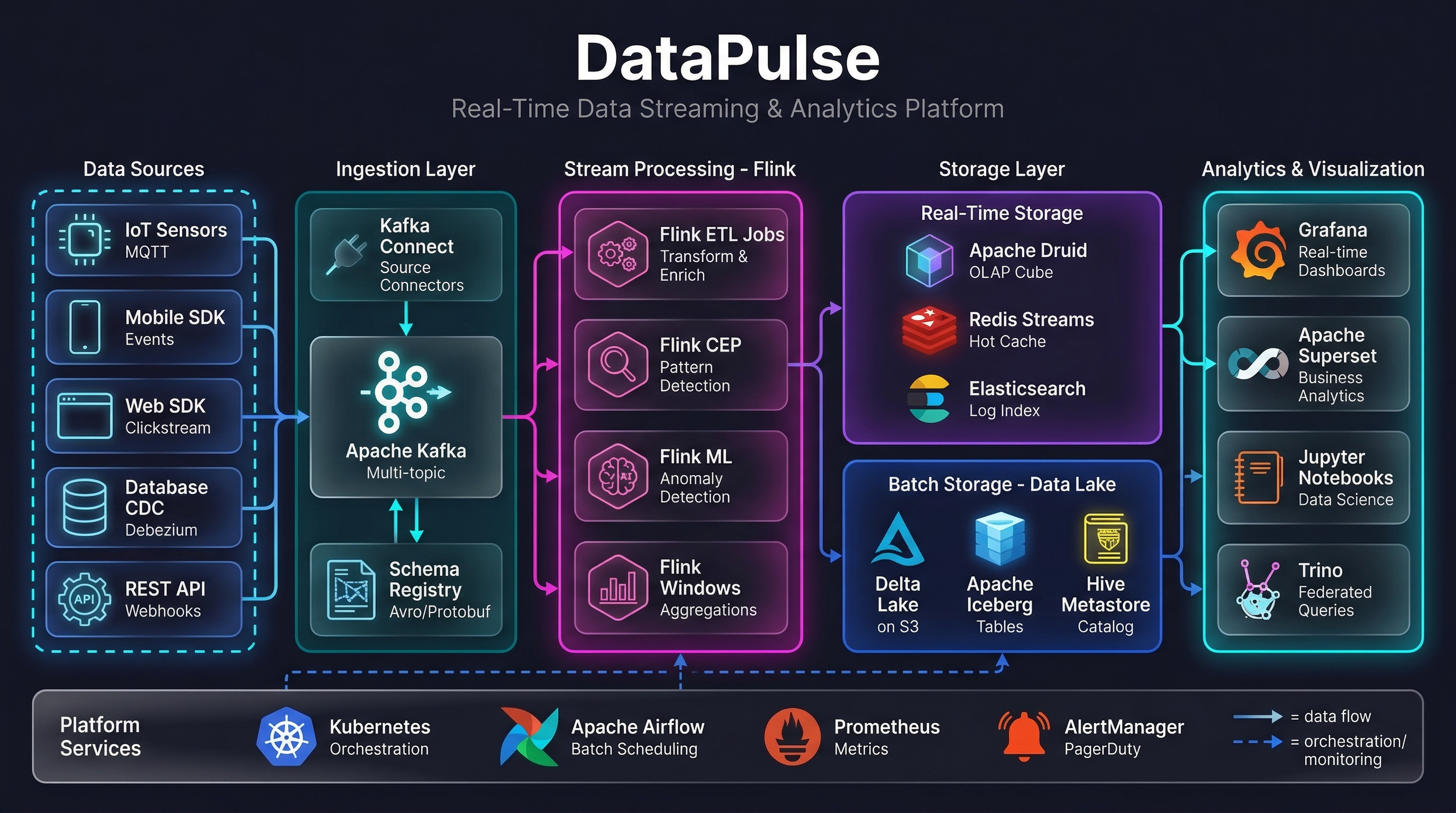
Darkmode Style — Real-Time Streaming Pipeline
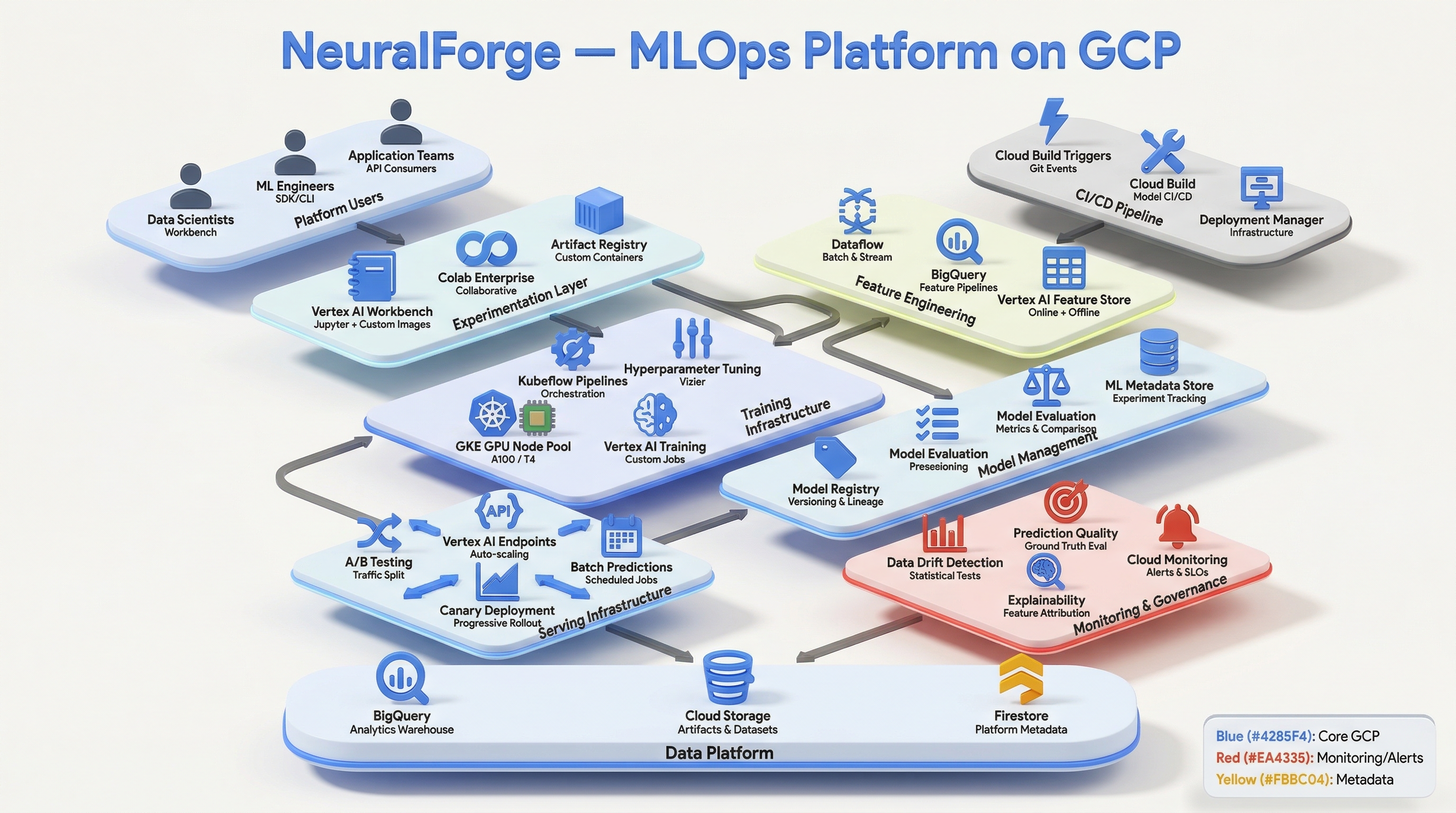
Isometric Style — MLOps Platform
Why use this?
Drawing architecture diagrams manually takes 2-4 hours. With Diagram Designer, you describe your system and get a professional PNG instantly.
Features
- 5 Visual Styles — cloud, isometric, blueprint, whiteboard, darkmode
- 3 Aspect Ratios — presentation (16:9), documentation (4:3), social (1:1)
- 3 Detail Levels — overview (5-8 blocks), medium (10-15), full (15-25)
- Cloud Palettes — AWS, GCP, Azure, or auto-detect
- 2 Quality Tiers — standard (fast ~50s) or premium (high fidelity ~100s)
- Up to 2K Resolution — crisp output for slides, docs, and print
How to use
- Provide a Mermaid diagram and describe your system
- Choose style, detail level, and quality
- Get a download link to your PNG (valid 1 hour)
Security
Your diagrams are private. Download links expire after 1 hour and images are automatically deleted. No data is retained.