Best MCP Servers: Top Picks for Every MCP Client and MCP Server Need#
You've been using ChatGPT or similar tools for a while. They're great at answering questions and writing text. But what if your tool could actually do things? Check your email. Search your files. Look up real-time stock prices. That's exactly what MCP servers make possible.
Think of it this way: right now, your chatbot is like a smart friend who can only talk. MCP servers give that friend hands to actually help you with tasks.
TL;DR#
- MCP servers connect your tools to real services and data sources
- Downloads grew from 100K to 8 million in just 5 months — and the best MCP servers for 2026 will be even more capable
- Top picks: Context7 (39K stars), Figma (12K), Playwright (5K), GitHub (4.8K), Firecrawl (3K)
- You can use MCP with various apps including Claude, Cursor, and VS Code
- Check our MCP server rankings below — no coding required for most setups
What Is an MCP Server? A Simple Explanation#
Let's break this down simply.
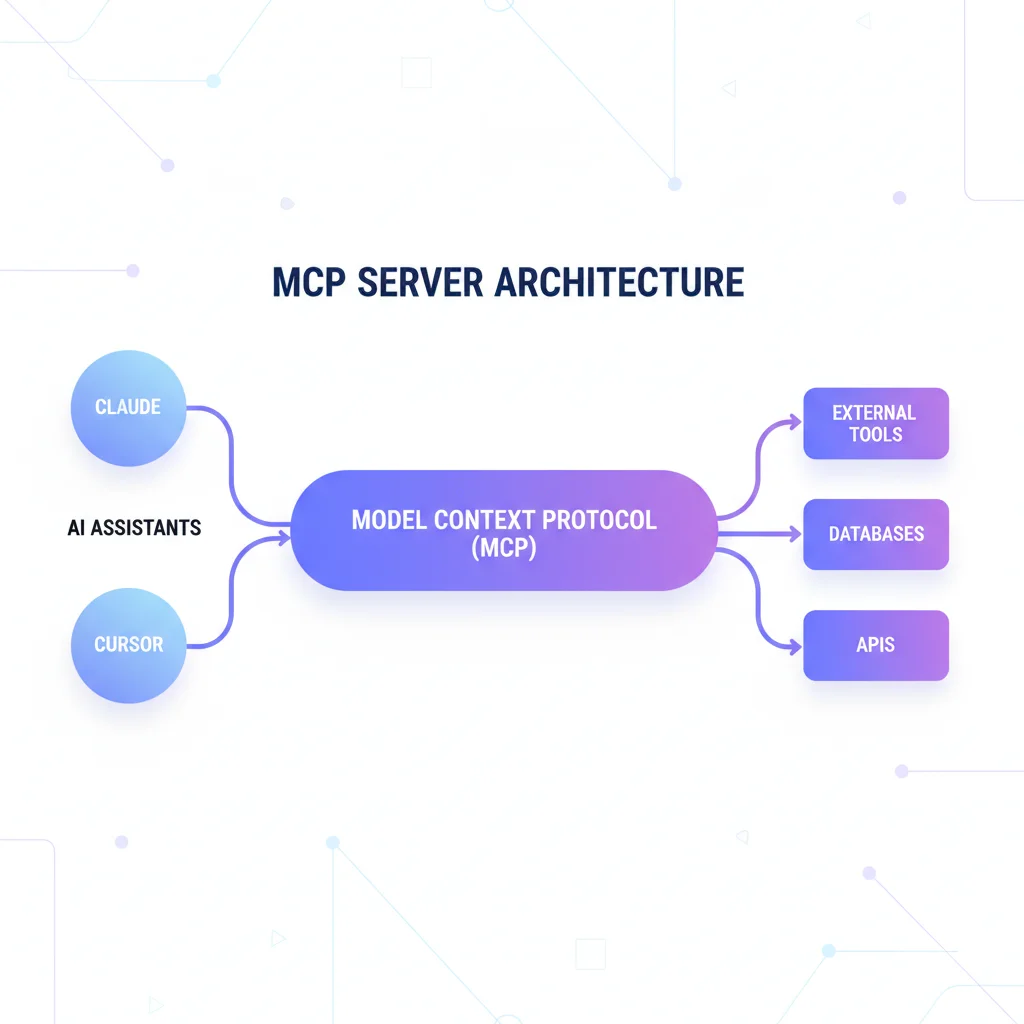
MCP stands for Model Context Protocol. It's a standard way for chatbots and LLMs to connect to outside tools via mcp.
An MCP server is like a translator between your tool and some external service. Want to read your Google Drive files? There's an MCP server that provides that access. Want to check your calendar? There's one for that too.
Here's a real example:
Without MCP, you'd say: "Help me write a response to that email from John" and then manually copy-paste the email into the chat.
With MCP, you say the same thing, and your tool actually reads your inbox, finds John's email, and drafts a reply. No copy-pasting needed. The MCP server exposes your email as a capability for the ai agent to use.
"MCP is like giving your chatbot eyes and hands. It can finally see your data and do things with it." — Sarah Chen, Product Designer
This mcp protocol enables users to securely connect their tools. Every MCP server that enables access to external systems follows the same pattern.
Top MCP Servers You Should Know About#
Here are the most popular MCP servers ranked by GitHub stars and real community adoption. These MCP server rankings aren't random picks—they're what developers actually use and recommend.
#1. Context7 — Documentation That Never Gets Outdated#
What it does: Pulls up-to-date, version-specific documentation and code examples directly into your prompts. No more hallucinated APIs or outdated code.
Why you'd want it: Ever asked an AI for help with a library and got code that doesn't work because it's for an old version? Context7 solves that. It fetches current docs from the source.
Who it's for: Developers who work with libraries and frameworks. Essential for anyone tired of AI generating outdated code. With 39K+ stars and 5M+ downloads, it's the most popular mcp server.
#2. Figma — Design-to-Code Bridge#
What it does: Connects your AI directly to Figma design files. Read designs, extract components, understand layouts, and generate code from your mockups.
Why you'd want it: Stop manually translating designs to code. Your AI can see exactly what designers created and help implement it accurately, including styles, spacing, and components.
Who it's for: Frontend developers, design teams, anyone who works with Figma MCP. With 12K+ stars, it's essential for bridging the design-development gap.
#3. Playwright — Browser Automation Magic#
What it does: This powerful mcp lets tools control a real web browser. Click buttons, fill forms, take screenshots, run tests—all through natural language.
Why you'd want it: Automate repetitive web tasks. Test your websites. Scrape dynamic content. Playwright MCP can actually navigate pages for you, including taking screenshots for visual testing.
Who it's for: QA testers, developers, anyone with repetitive browser tasks. Official Microsoft package with 5K+ stars.
#4. GitHub — Your Repositories, AI-Accessible#
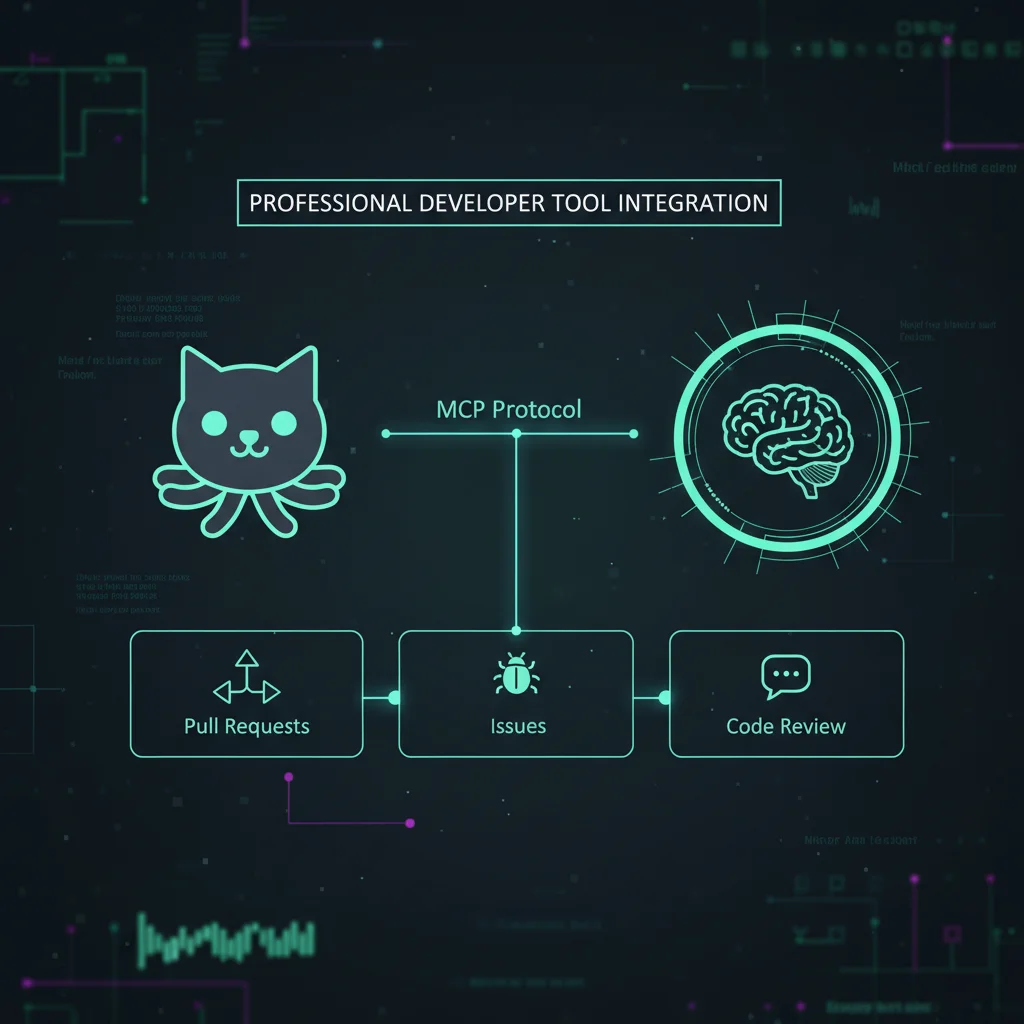
What it does: Official GitHub MCP server that lets AI interact with repositories. Create issues, review PRs, search code, manage branches, and automate workflows.
Why you'd want it: "Create an issue for this bug", "What PRs need review?", "Find all files using this deprecated API". Your AI becomes a GitHub power user.
Who it's for: Developers, team leads, open source maintainers. Anyone who lives in GitHub. With 4.8K+ stars, this server enables seamless repository management.
#5. Notion — Your Second Brain Gets Smarter#
What it does: Official Notion MCP server connects to your workspace. Search pages, create content, manage databases—all through conversation.
Why you'd want it: If you use Notion for notes, projects, or planning, your tool can search through everything, create new pages, and help organize your knowledge base.
Who it's for: Students, professionals, anyone who uses Notion regularly. With 3.3K+ stars, this mcp server designed for knowledge management automates workspace tasks.
"MCP represents a significant step forward in how AI systems interact with external tools and data sources." — Anthropic Engineering Blog
#6. Firecrawl — Web Scraping That Actually Works#
What it does: This server connects to any website and extracts clean, structured data. It handles JavaScript-heavy sites, pagination, and even bypasses common blocks.
Why you'd want it: Need to gather information from multiple web pages? Firecrawl does the heavy lifting. Great for research, competitive analysis, or building datasets.
Who it's for: Researchers, marketers, data scientists, anyone who needs to extract web data. With 3K+ stars, it's trusted for seamless data collection.
#7. Puppeteer — Headless Browser Control#
What it does: Control Chrome/Chromium browsers programmatically. Navigate pages, take screenshots, generate PDFs, automate form submissions, and scrape dynamic content.
Why you'd want it: When you need precise browser automation. Puppeteer MCP lets you generate screenshots of web pages, fill out forms, test your sites, or extract data from JavaScript-heavy pages.
Who it's for: Developers, testers, anyone needing browser automation. With 2.7K+ stars, Puppeteer is battle-tested and widely adopted.
#8. Exa Search — AI-Powered Web Search#
What it does: Exa MCP server lets your tool search the web with semantic understanding. Not just keywords—it understands what you actually mean.
Why you'd want it: Regular search returns links. Exa returns answers. It can search code examples, find companies, research topics, and extract structured data.
Who it's for: Researchers, developers needing code examples, anyone who needs up-to-date info. With 2.5K+ stars and 237K downloads, it's great for semantic search across the web.
#9. n8n MCP — Workflow Automation Unleashed#
What it does: Connects AI to n8n's workflow automation platform. Create, modify, and run automations through natural language.
Why you'd want it: Instead of manually building workflows, just describe what you want. "When I get an email from a client, create a task in my project manager." Done.
Who it's for: Anyone who uses n8n for automation, teams wanting to speed up workflow creation. n8n MCP has 2.2K+ stars and integrates with 500+ apps. Server enables llms to create complex automations.
#10. Perplexity — AI Search Engine Integration#
What it does: Connects your AI to Perplexity's powerful search capabilities. Get answers with sources, research topics, and access real-time web information.
Why you'd want it: Perplexity excels at research queries with citations. Ask complex questions and get well-sourced answers synthesized from multiple web sources.
Who it's for: Researchers, writers, anyone who needs accurate, sourced information. With 1.8K+ stars, it combines AI reasoning with real-time web search.
#11. Google Drive — Your Cloud Files, AI-Accessible#
What it does: Search, read, and organize your Google Drive files. Find documents by content, list files in folders, and access your cloud storage directly.
Why you'd want it: "Find my presentation about Q3 sales", "What documents did I create last week?", "Search my Drive for budget spreadsheets". Google Drive MCP navigates your files.
Who it's for: Anyone using Google Drive for work or personal storage. With 1.5K+ stars, it's essential for knowledge workers with documents spread across folders.
#12. Slack — Team Communication Made Easier#
What it does: The most powerful MCP server for Slack with no permission requirements. Read messages, search history, work with DMs and group chats.
Why you'd want it: "Summarize what the marketing team discussed this week" or "Find that link Sarah shared about the new design." Slack MCP is powerful for handling team communication.
Who it's for: Remote workers, team leads, anyone drowning in messages. With 970+ stars and 9K+ active users, it works in stealth mode—no bot installation needed.
#13. Memory — Persistent Knowledge for AI#
What it does: Gives your AI persistent memory using a knowledge graph. Remember facts, preferences, relationships, and context across conversations.
Why you'd want it: Your AI can remember you're vegetarian, that you prefer TypeScript, or that your project deadline is next Friday. No need to repeat context every time.
Who it's for: Anyone wanting AI that learns and remembers. Memory MCP (850+ stars) is perfect for personal assistants and long-running projects.
#14. Sequential Thinking — Smarter Problem Solving#
What it does: Helps AI break down complex problems into steps. Each thought can build on, question, or revise previous insights as understanding deepens.
Why you'd want it: For complex tasks, Sequential Thinking makes AI reasoning more transparent and effective. Watch as it works through problems step by step, adjusting as needed.
Who it's for: Anyone tackling complex problems, developers debugging tricky issues, researchers analyzing data. Part of the official mcp protocol reference servers from Anthropic.
#15. PostgreSQL — Database Access Made Simple#
What it does: Connect your AI directly to PostgreSQL databases. Query data, explore schemas, analyze tables, and get insights from your data.
Why you'd want it: "What were our top-selling products last month?", "Show me users who signed up this week", "Explain this table structure". PostgreSQL MCP enables natural language database queries.
Who it's for: Developers, data analysts, anyone who works with PostgreSQL. Community server with 280+ stars.
How to Actually Use MCP Servers#
You might be thinking: "This sounds great, but how do I set it up?"
Good news: it's simpler than you'd expect.
Option 1: App Setup (Easiest)#
If you use a tool, you can add servers by editing a simple configuration file. Here's what it looks like:
{
  "mcpServers": {
    "context7": {
      "command": "npx",
      "args": ["-y", "@upstash/context7-mcp"]
    }
  }
}
That's it—just copy, paste, and restart your app.
Option 2: IDE Integration (For Coders)#
Tools have built-in MCP support. Just go to Settings and add your servers. Great for code tasks. Assistants work well with these mcps.
Option 3: MCPize (One-Click Setup)#
Platforms like MCPize let you discover mcp servers and install them with one click. No configuration files needed.
What Can You Actually Do With These?#
Let me give you some real scenarios:
For Students#
- "Read my essay draft and suggest improvements" (File System)
- "Search my Notion notes for everything about World War II" (Notion)
- "Find recent academic papers about climate change" (Web Search)
This MCP server lets tools help with writing code for homework too.
For Professionals#
- "Summarize this week's discussions about the project" (Slack)
- "What meetings do I have tomorrow?" (Calendar)
- "Pull the latest sales numbers from our database" (PostgreSQL)
The mcp integration with work tools saves hours. Many use agents for code analysis.
For Everyday Use#
- "Find all photos from my vacation last summer" (File System)
- "What's the weather forecast for this weekend?" (Web Search)
- "Remember that I'm vegetarian for future recipe suggestions" (Memory)
Connect your tools to these data sources and automate routine tasks.
Which MCP Server Should You Start With?#
Here's my honest recommendation based on who you are:
| If you are... | Start with... | Why |
|---|---|---|
| A developer | Context7 + GitHub | Up-to-date docs + repo management |
| A designer/frontend dev | Figma + Playwright | Design files + browser testing |
| A researcher | Firecrawl + Perplexity | Web scraping + AI search with sources |
| A Notion user | Notion + Memory | Knowledge base + persistent context |
| A data analyst | PostgreSQL + Google Drive | Database queries + file access |
| An automation fan | n8n MCP + Slack | Workflows + team communication |
| Solving hard problems | Sequential Thinking + Exa | Step-by-step reasoning + semantic search |
My advice: Start with just one. Get comfortable. Then add more.
Finding More Servers#
Want to find more options? Here are the best resources:
-
MCP.so — Largest directory with 3,000+ servers and quality ratings
-
awesome-mcp-servers — Curated GitHub list with 7,000+ options
-
Official Repository — Reference implementations from Anthropic
-
MCPize — One-click installation platform
New options appear every week for everything from smart home control to financial analysis.
Advanced Setup: Claude Desktop, Cursor, and More#
For power users, here's how different tools work with MCP:
App Integration#
This setup offers the smoothest experience. The MCP server that enables ai assistants to work with your files integrates natively. Just edit the config file and restart.
Claude Code for Developers#
This takes it further—a server that enables ai agents to write, test, and deploy code. Assistants can access repositories, run tests, and even deploy changes.
Remote MCP Server Setup#
For teams, running servers remotely lets multiple people share the same configuration. The remote server handles authentication, and everyone connects via mcp gateway. This setup connects your whole team to shared resources.
Language Server Integration#
A language server provides code intelligence. Combined with MCP, coding agents understand your entire codebase context. The MCP server that exposes your IDE features does comprehensive mcp analysis.
Tools Working Together#
Many developers use multiple tools together. Connect your ai to both through the same servers. The mcp server lets ai access repos and local files simultaneously. This ai application setup maximizes productivity.
The Future of These Tools#
MCP servers are changing how we interact with chatbots. Instead of being a fancy search engine, they're becoming true helpers that can take action. Every new ai model works better with these integrations.
This growth isn't slowing down. There's an open source mcp server for almost everything now. Run them with docker for easy deployment.
Frequently Asked Questions#
What is an MCP server in simple terms?#
An MCP server is a bridge between your chatbot and external tools. It lets your tool actually do things instead of just talking about them. For example, read your files, search the web, or check your calendar. Think of it as an mcp tool that connects services.
Is it safe to give access to my files?#
You control everything securely. When you set up a server, you specify exactly which folders or services can be accessed. Your private data stays private unless you explicitly share it.
Do I need to know how to code?#
Not for basic setup. Most servers come with simple copy-paste configuration. Platforms like MCPize make it even easier with one-click installation. Though for code generation tasks, some technical knowledge helps.
Which apps support MCP?#
Tools like Claude have good support right now. An mcp client also works well. IDE extensions support it too. More apps are adding support regularly.
Are MCP servers free?#
Most are free and open source. You can find them on the web and thousands more in the community lists. Some commercial options exist for enterprise use.
What if something goes wrong?#
Servers run locally on your computer. You can turn them off anytime. They don't change your original files or data unless you specifically ask them to. Use the debug tools if needed.
Key Takeaways#
- MCP servers turn your chatbot from a talker into a real helper
- Start simple — File System is the most useful for most people
- You're in control — specify exactly what can be accessed
- No coding needed — copy-paste configuration works for most setups
- Growing fast — new servers appear weekly for more use cases
Ready to Try It?#
Here's what I'd suggest:
- For developers: Start with Context7 — it's the #1 for a reason
- For browsing: Check out MCP.so or the awesome mcp servers list
- For easy setup: Use MCPize for one-click installations
Your tools are about to get a lot more useful.
Have questions? Check our FAQ or browse all available servers. Looking for specific categories? Try Design MCP Servers or Security MCP Servers.