Turn Any API into an MCP Server in 60 Seconds#
TL;DR: Paste an OpenAPI spec URL into MCPize. It auto-generates MCP tools from your endpoints. Pick which ones to expose. Deploy. Done. No code, no Docker, no YAML configs. Sixty seconds from spec to live MCP server.
I spent last weekend wrapping a client's internal API as an MCP server. The old way. Writing tool definitions by hand. Mapping parameters. Debugging JSON Schema. Four hours of my life I won't get back.
Then I tried the OpenAPI import. Same API. Same result. Under a minute.
Here's the thing about MCP adoption in 2026: there are 19,000+ servers indexed on mcp.so alone, but most APIs still don't have one. Every REST API without MCP support is an opportunity. And the barrier to creating that bridge just dropped to basically zero.
Try OpenAPI Import NowWhy This Matters#
Claude, Cursor, and every other AI assistant can only use tools they can talk to. MCP is that common language. But most APIs speak REST, not MCP.
The math is simple:
| Scenario | Time to MCP Server |
|---|---|
| Build from scratch (Python) | 2-4 hours |
| Build from scratch (TypeScript) | 3-5 hours |
| OpenAPI auto-convert | ~60 seconds |
That's not a typo. If you have an OpenAPI spec — and most modern APIs do — you can skip the entire manual build process.
What gets generated:
- Tool definitions for each endpoint
- Parameter schemas with types and descriptions
- Authentication handling
- Error responses
You're not building an MCP server. You're selecting which parts of your existing API to expose.
The 60-Second Workflow#
Here's exactly what happens:
Step 1: Paste Your Spec URL (5 seconds)#
Go to MCPize's server creation wizard. Select "Import from OpenAPI."
https://api.example.com/openapi.jsonOr paste a Postman collection URL. Both work.
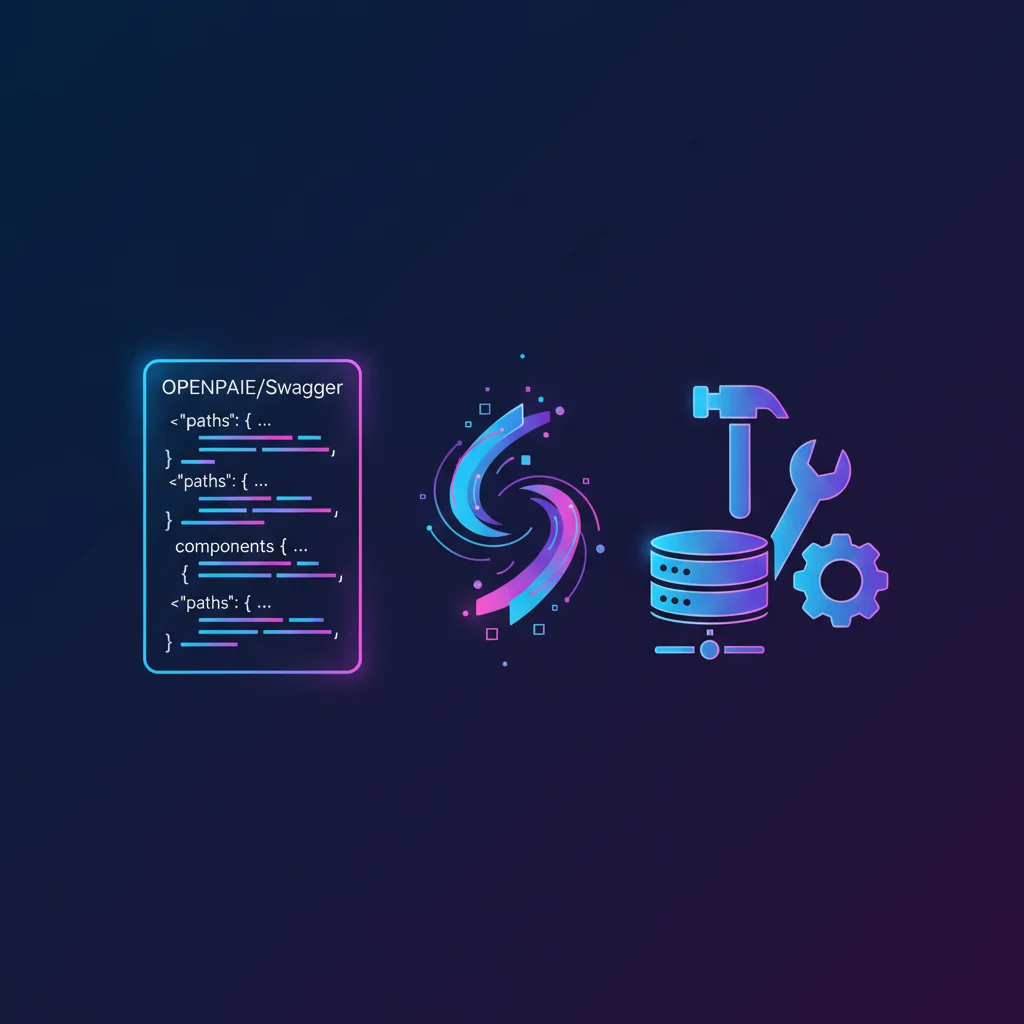
The parser understands OpenAPI 3.0, 3.1, Swagger 2.0, and Postman Collections v2.x. It auto-detects the format — just paste any URL. It pulls endpoint definitions, parameter schemas, descriptions — everything Claude needs to understand your API.
Where to find your spec:
- Check
/openapi.jsonor/swagger.jsonon the API root - Look for "API Reference" or "Docs" links
- GitHub repos often have
openapi.yamlin the root - Postman: Export collection as JSON (nested folders preserved)
Step 2: Review Generated Tools (30 seconds)#
The converter parses your spec and shows you every endpoint as a potential MCP tool:
| Tool Name | Method | Path | Category |
|---|---|---|---|
get_users | GET | /users | Recommended |
create_user | POST | /users | Optional |
delete_user | DELETE | /users/{id} | Risky |
Tools are auto-categorized based on HTTP method, deprecation status, and path patterns:
- Recommended: Safe read operations (GET endpoints) — enabled by default
- Optional: Write operations that modify state — review before enabling
- Risky: Destructive operations (DELETE) or deprecated endpoints — disabled by default
The converter also detects deprecated endpoints in your spec and automatically marks them as risky with a warning.
What you can customize:
- Toggle tools on/off — don't expose everything
- Rename tools —
getUserByIdis clearer thanusers_id_get - Edit descriptions — help Claude understand when to use each tool
- Group by tags — if your spec has tags, tools are grouped automatically
The AI sees these names and descriptions. Clearer naming = better tool selection by Claude.
Smart Tool Count Warnings#
Here's something most converters don't tell you: LLMs perform poorly with too many tools.
MCPize's converter analyzes your tool count and warns you:
| Tool Count | Warning Level | Recommendation |
|---|---|---|
| 1-10 | ✅ Optimal | Best LLM performance |
| 11-30 | ℹ️ Note | Consider reducing |
| 31-50 | ⚠️ Warning | Performance degrades |
| 50+ | ⛔ Critical | LLMs work poorly |
When you import a large API like Stripe (300+ endpoints), you'll see a critical warning. The fix? Only enable the 10-15 tools you actually need. Focused servers beat Swiss Army knives.
Step 3: Add Authentication (10 seconds)#
Most APIs need auth. The wizard detects your spec's security schemes:
| Detected Auth | What You Provide |
|---|---|
| API Key (header) | Your key — stored encrypted |
| API Key (query param) | Your key — injected on each request |
| Bearer Token | Your token or OAuth config |
| Basic Auth | Username + password |
Your credentials never leave MCPize's servers. The MCP server acts as a secure proxy.
Step 4: Configure & Deploy (15 seconds)#
Set a name, slug, and description. Pick a category. Hit deploy.
MCPize:
- Builds the proxy server
- Deploys to global edge
- Generates your MCP endpoint URL
- Sets up usage tracking
Output:
✓ Server deployed!
Endpoint: https://your-api.mcpize.run/mcp/v1
That's it. Your API is now MCP-ready. Claude, Cursor, and any MCP client can connect.
Real Example: Stripe API#
Let's make this concrete. Stripe has a comprehensive OpenAPI spec.
Input:
https://raw.githubusercontent.com/stripe/openapi/master/openapi/spec3.jsonOutput: 300+ potential tools covering payments, customers, subscriptions, invoices.
Smart selection:
- Enable:
list_customers,retrieve_customer,list_payments - Disable:
delete_customer,refund_payment(too risky for AI)
Five minutes of curation. Production-ready MCP server for Stripe operations.
Now Claude can check payment status, look up customer info, list recent transactions — without you writing a line of code.
What About Authentication?#
Real APIs need auth. The converter handles the common patterns:
| Auth Type | How It Works |
|---|---|
| API Key (header) | You provide it once, MCPize injects it |
| API Key (query) | Same — stored securely, added to requests |
| Bearer Token | OAuth tokens managed per-user |
| Basic Auth | Username/password stored encrypted |
Your credentials never touch the client. The MCP server acts as a secure proxy.
For user-specific auth (OAuth flows), MCPize supports per-connection tokens. Each user authenticates with their own credentials.
When to Use This vs. Building Custom#
Auto-conversion isn't always the answer. Here's my decision framework:
Use OpenAPI Import when:
- You have a well-documented OpenAPI spec
- You want read-heavy operations
- Time-to-market matters more than customization
- You're wrapping someone else's API
Build custom when:
- You need complex business logic between calls
- Multiple APIs need to work together
- You want fine-grained response formatting
- The API doesn't have an OpenAPI spec
The sweet spot? Start with auto-generation. Add custom tools later for edge cases.
Alternative Methods#
The web UI is the fastest path. But we've got two more options for different workflows.
Looking for other tools? Check our full comparison of OpenAPI-to-MCP converters — we compare 10 tools including Speakeasy, Stainless, FastMCP, and Azure APIM.
Method 2: CLI with OpenAPI Template#
Prefer terminal over browser? One command does it:
# Install CLI
npm install -g mcpize

# Create project from OpenAPI URL
mcpize init stripe-mcp --template typescript/openapi \
  --from-url https://raw.githubusercontent.com/stripe/openapi/master/openapi/spec3.yaml

# Deploy
cd stripe-mcp
mcpize deploy --yes
That's it. The typescript/openapi template:
- Parses your spec automatically
- Generates typed MCP tools
- Sets up Streamable HTTP transport
- Configures for Cloud Run deployment
Local development:
npm run dev                    # Hot reload
npx @anthropic/mcp-inspector http://localhost:8080/mcp  # Test tools
Method 3: Self-Hosted Docker Image#
Don't want managed hosting? Run it yourself:
docker run -p 8080:8080 procoders/openapi-mcp-ts \
  --spec-url https://petstore.swagger.io/v3/openapi.json
Connect Claude Desktop:
{
  "mcpServers": {
    "petstore": {
      "url": "http://localhost:8080/mcp"
    }
  }
}
The procoders/openapi-mcp-ts image is open source (Apache 2.0). Works on any Docker host — your laptop, AWS, GCP, whatever.
Advanced config:
# With local spec file
docker run -p 8080:8080 \
  -v ./my-api.yaml:/spec.yaml \
  procoders/openapi-mcp-ts --spec-file /spec.yaml

# With API key
docker run -p 8080:8080 \
  -e API_KEY=your_secret_key \
  procoders/openapi-mcp-ts --spec-url https://api.example.com/openapi.json
Which Method to Choose?#
| Method | Time | Best For |
|---|---|---|
| Web UI | 60 seconds | Quick deploy, non-technical users, monetization |
| CLI | 2 minutes | Developers, Git workflows, CI/CD |
| Docker | 5 minutes | Self-hosted, air-gapped, custom infra |
All three paths create the same result — a production MCP server from your OpenAPI spec.
Monetization Angle#
Here's where this gets interesting for developers.
Every API without MCP support is a potential product. You don't need to own the API — just create a better interface to it.
The play:
- Find an API developers complain about (poor docs, clunky SDK)
- Create an MCP server with clean tool definitions
- Add helpful descriptions Claude actually understands
- Publish on MCPize marketplace
- Charge $5-15/month
You're selling convenience. The underlying API might be free. Your value is the MCP wrapper that makes it usable with AI.
Real example: Weather APIs are mostly free. But a well-designed MCP weather server with smart defaults and good error messages? People will pay for that.
Start MonetizingCommon Gotchas#
A few things that trip people up:
1. Nested request bodies
Some OpenAPI specs have deeply nested objects. The converter flattens common patterns, but complex nesting might need manual adjustment.
2. Pagination
Auto-generated tools return single responses. If the API paginates, you might want to create a custom tool that handles pagination logic.
3. Rate limits
Your MCP server inherits the underlying API's rate limits. If Stripe limits you to 100 requests/second, so does your MCP server.
4. Response size
Large API responses can overwhelm AI context. Consider filtering response fields or adding pagination for list endpoints.
The Bigger Picture#
We're in a transitional moment. Every company has REST APIs. Almost none have MCP servers. That gap is closing fast.
The 19,000+ MCP servers indexed today grew from under 1,000 in early 2025. Auto-generation tools are why. The barrier went from "build an entire server" to "select which endpoints to expose."
If you maintain an API, you should have an MCP server. If you use APIs that don't have one, you can create it yourself.
The tooling is here. The demand is here. Sixty seconds is all it takes to bridge the gap.
Import Your First APIFAQ#
Can I convert any REST API to MCP?#
If it has an OpenAPI (Swagger) spec, yes. Most modern APIs do. Check for /openapi.json, /swagger.json, or /docs endpoints. Postman collections also work.
Do I need to host the MCP server myself?#
No. MCPize handles hosting, SSL, and uptime. You just configure and deploy. For self-hosting options, tools like Higress or FastMCP let you run on your own infrastructure.
What about APIs that require OAuth?#
Supported. You can configure OAuth flows where each user authenticates with their own credentials. The MCP server manages token refresh automatically.
How do I update the MCP server when the API changes?#
Re-import the updated spec. MCPize detects changes and lets you review new/modified endpoints before publishing.
Can I add custom logic to auto-generated tools?#
Not directly in the no-code flow. For custom logic, start with auto-generation, then export and modify the server code. Or create a custom tool alongside the generated ones.
Is there a limit to how many tools I can create?#
Practical limit is around 50-100 tools per server. More than that becomes unwieldy for AI to navigate. Split large APIs into focused servers by domain.
Next steps:
- OpenAPI to MCP Generator — Fastest path from OpenAPI spec to MCP server
- Postman to MCP Converter — Convert Postman collections to MCP servers
- Compare All OpenAPI-to-MCP Tools — See how MCPize stacks up against Speakeasy, Stainless, FastMCP, and others
- Full MCP Server Build Guide — For custom servers
- Python MCP Tutorial — When you need more control
- TypeScript MCP Tutorial — Production patterns
- Monetization Guide — Turn your server into revenue
Have an API you want to wrap? Start here — it really does take 60 seconds.