MCP Multi-Server OAuth: Authenticate Once, Access All#
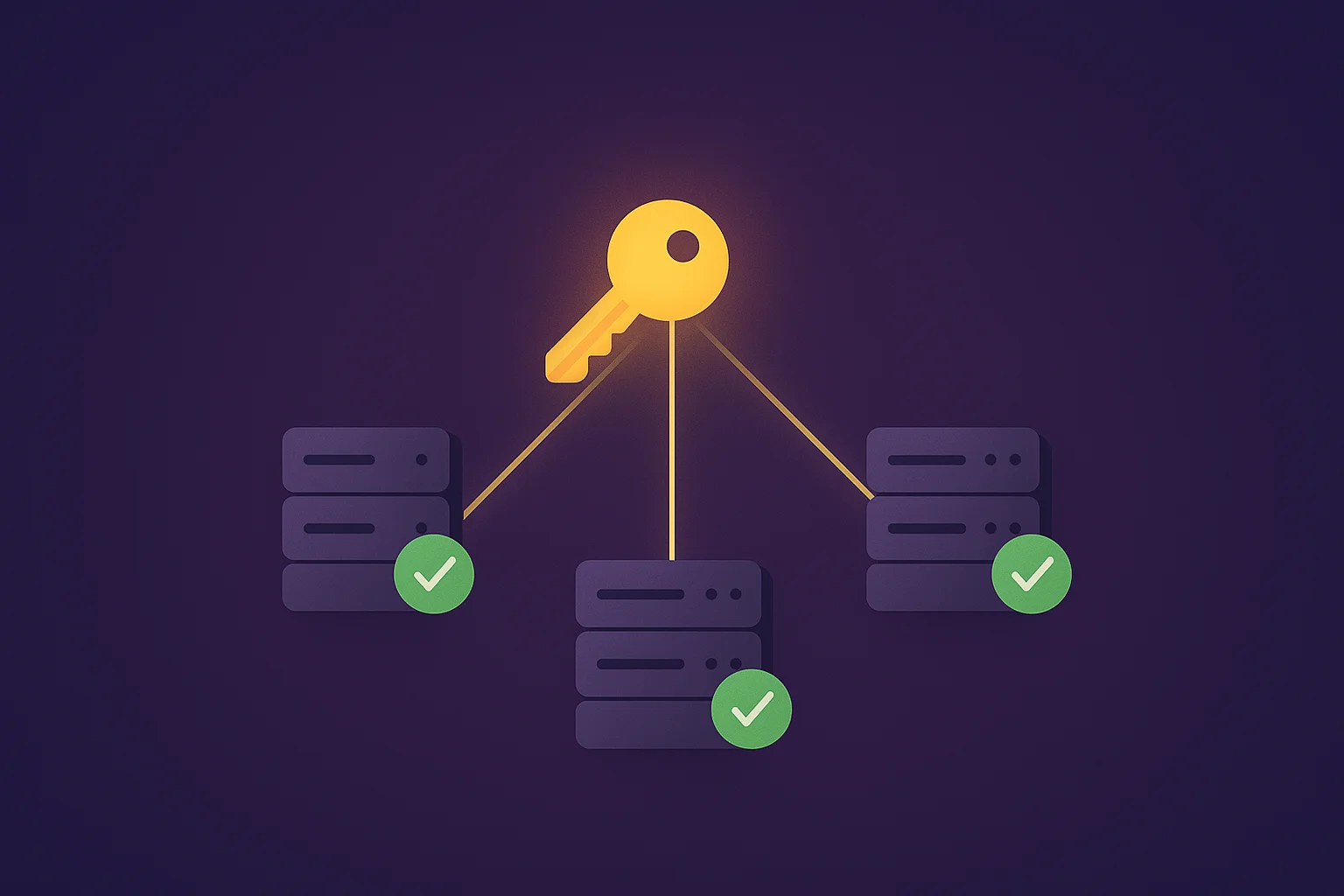
TL;DR: Standard MCP OAuth requires separate authorization for each server. Multi-Server OAuth gives you one token that works across all your servers. One login. One token. All your servers.
Here's the thing about MCP OAuth: it's beautifully secure. OAuth 2.1, PKCE, automatic token refresh — the spec nailed it.
But nobody talks about the UX problem.
You have 10 MCP servers? You authenticate 10 times. Click authorize. Grant permissions. Get redirected. Do it again. And again. For power users running dozens of servers, this is borderline unusable.
Multi-Server OAuth fixes this. Authenticate once. Pick your servers. Get a single token that works everywhere.
The Problem: N Servers = N Logins#
Let's be real about what standard MCP OAuth looks like in practice:
| Servers | Login Flows | Your Experience |
|---|---|---|
| 1 | 1 | Fine |
| 5 | 5 | Annoying |
| 10 | 10 | Frustrating |
| 20+ | 20+ | "I'll just use API keys" |
Every MCP server is a separate "protected resource." Every resource needs its own authorization. Technically correct. Practically painful.
Claude Desktop and Cursor handle this somewhat automatically, but under the hood? Still one token per server. Still N authentication states to manage.
The Solution: Global Authorization#
Multi-Server OAuth introduces a simple twist: authorize against the root, not individual servers.
Instead of:
resource=https://github-mcp.mcpize.runYou do:
resource=https://mcpize.run/Or just skip the resource parameter entirely.
The auth server sees this and thinks: "Ah, they want access to multiple servers. Let me show them a picker."
How It Actually Works#
- You start global auth — No specific server in the request
- You see a server picker — Check the ones you want
- You get one token — With all your servers baked in
- That token works everywhere — Any server you selected
Dead simple. One flow instead of ten.
What Changes in the Token#
Here's a normal single-server token:
{
  "aud": "github-mcp",
  "scope": "mcp:tools mcp:resources mcp:prompts"
}
And here's a multi-server token:
{
  "aud": ["github-mcp", "slack-mcp", "notion-mcp"],
  "scope": "mcp:tools mcp:resources mcp:prompts servers:github-mcp,slack-mcp,notion-mcp"
}
Two differences:
audbecomes an array (all your servers)scopeincludes aservers:list (for the refresh flow)
That's it. Same JWT. Same validation. Just array audience instead of string.
Token Validation (The Easy Part)#
When a server receives this token, validation is trivial:
def validate_token(token, my_server_id):
    audience = decode_jwt(token)['aud']

    if isinstance(audience, list):
        return my_server_id in audience
    return my_server_id == audience
If you're in the audience list, the token is valid for you. Done.
Security: Same Model, Better UX#
Let's address the obvious concern: "Doesn't one token for all servers increase risk?"
| Concern | Reality |
|---|---|
| Bigger blast radius? | Technically yes. But you'd have N tokens anyway. |
| Easier to steal? | Same token format, same transport security. |
| Harder to revoke? | No — revoke the token, all servers lose access. |
The attack surface is essentially identical. You're just consolidating what was already there.
Built-in protections:
- 1-hour access token lifetime
- Refresh token rotation (use it once, get a new one)
- Per-server revocation in the dashboard
When This Makes Sense#
Great for:
- Devs with 5+ MCP servers
- Teams sharing a common toolset
- Enterprise deployments with server bundles
- Anyone tired of re-authenticating
Skip it if:
- You have one server
- Your servers have different trust levels
- You need maximum isolation
The sweet spot: multiple servers, same trust level, same user context.
Implementation for MCP Clients#
If you're building an MCP client and want to support this, here's what you need.
Detect Support#
const metadata = await fetch(
  'https://auth.example.com/.well-known/oauth-authorization-server'
).then(r => r.json())

const supportsMultiServer = metadata.scopes_supported?.includes('mcp:global')
Start Global Auth#
const authUrl = new URL(metadata.authorization_endpoint)
authUrl.searchParams.set('client_id', clientId)
authUrl.searchParams.set('response_type', 'code')
authUrl.searchParams.set('redirect_uri', redirectUri)
authUrl.searchParams.set('code_challenge', codeChallenge)
authUrl.searchParams.set('code_challenge_method', 'S256')
// No resource param = global auth
Store the Token#
const tokenData = {
  access_token: tokens.access_token,
  refresh_token: tokens.refresh_token,
  expires_at: Date.now() + tokens.expires_in * 1000,
  servers: ['github-mcp', 'slack-mcp', 'notion-mcp']
}
localStorage.setItem('mcp_token', JSON.stringify(tokenData))
Now one token works for all three servers.
FAQ#
Is this RFC compliant?#
Yes. RFC 8707 (Resource Indicators) allows array audiences. We're not bending any specs here.
Can I use both single and multi-server tokens?#
Absolutely. Use multi-server for convenience, single-server for sensitive ops. Your call.
What if I need to add a server later?#
Re-authorize. The server list is locked at auth time. This is intentional — no silent scope escalation.
Is this an official MCP spec?#
Not yet. It's an implementation pattern that works within existing specs. The array audience trick is standard OAuth.
The Bottom Line#
Multi-Server OAuth is a UX fix for a real problem. Instead of N authorization flows for N servers, you get one.
What you need to know:
- Skip the
resourceparam (or use root URL) for global auth - Token audience becomes an array
- Scope includes
servers:id1,id2,id3 - Everything else stays the same
For anyone managing multiple MCP servers, this is the difference between tolerable and tedious.
One token to rule them all.
Related:
- MCP Protocol Explained — How MCP works under the hood
- Build MCP Server — Complete development guide
- MCP Tutorial — Hands-on beginner guide
Questions about MCP OAuth? Join MCPize Discord for discussions with the community.