Model Context Protocol (MCP) Explained: The Complete Guide#
TL;DR: MCP is JSON-RPC 2.0 over stdio or HTTP. Three primitives: tools (actions), resources (data), prompts (templates). Host spawns client, client talks to server. 6,800+ servers exist. Protocol is stable and production-ready.
You've probably heard the comparison already: MCP is like USB-C for AI.
It's a decent analogy, but it undersells what's actually happening here. Before USB-C, you had a drawer full of cables. Before the Model Context Protocol, every AI integration was a custom job. Claude talks to Slack one way. GPT talks to Notion another. Each connection required its own code, its own auth flow, its own documentation.
MCP changes that. One protocol. Any AI. Any tool.
Anthropic released the Model Context Protocol in November 2024, and the ecosystem exploded. By December 2025, over 6,800 MCP servers exist. Google, Microsoft, and OpenAI adopted it. The spec keeps evolving, with major updates in June 2025 adding OAuth 2.1 and remote server support.
This guide covers everything you need to know about MCP: what it is, how it works, why it matters, and how to start building with it. Whether you're evaluating MCP for your team or ready to build your first server, this is the reference you'll want.
What is the Model Context Protocol?#
MCP (Model Context Protocol) is an open standard that defines how AI applications connect to external tools and data sources. Think of it as a universal language that any AI can speak to any tool.
The problem it solves is simple: the N×M integration problem.
Before MCP, if you had 10 AI assistants and 10 tools, you needed 100 custom integrations. Each one with its own:
- API format
- Authentication method
- Error handling
- Documentation
With MCP, you need 10 + 10 = 20 implementations. Each AI learns to speak MCP. Each tool learns to speak MCP. They all connect automatically.
The protocol was created by Anthropic and released as open source. It's not locked to Claude. Any AI host can implement MCP, and many already have: Cursor, Windsurf, VS Code, and dozens of others.
The key insight: MCP isn't just another API standard. It's designed specifically for AI agents. The protocol handles discovery (the AI figures out what tools exist), schema (the AI understands how to call them), and context (the AI gets data it needs without you manually copying it).
How is MCP Different from APIs?#
This is the question everyone asks. Here's the straight answer.
Traditional APIs are designed for human developers. You read docs, write code, handle auth, parse responses. The API doesn't know who's calling it or why.
MCP is designed for AI agents. The protocol is self-describing. An AI can discover what tools exist, understand their schemas, and call them correctly without any human writing integration code.
| Aspect | Traditional API | MCP Protocol |
|---|---|---|
| Who calls it | Human-written code | AI agents directly |
| Discovery | Read docs, write code | Automatic via tools/list |
| Schema | OpenAPI (separate file) | Inline JSON Schema |
| Session state | Usually stateless | Stateful with capabilities |
| Direction | Client → Server | Bidirectional |
| Context | Pass everything explicitly | Server provides what's relevant |
When to Use MCP vs REST API#
Use MCP when:
- AI agents need to discover and use tools dynamically
- You want one integration that works with Claude, GPT, Gemini, and others
- Bidirectional communication matters (server can send updates)
- The AI needs real-time context from external systems
Use REST API when:
- Human developers are the primary consumers
- You need maximum control over the integration
- Stateless request/response is sufficient
- The integration is one-time or highly custom
A Quick Comparison#
Here's what calling a tool looks like with a REST API:
# Traditional API: You write this code
import requests

def search_issues(repo, query):
    response = requests.get(
        f"https://api.github.com/search/issues",
        params={"q": f"repo:{repo} {query}"},
        headers={"Authorization": f"Bearer {token}"}
    )
    return response.json()
Here's what happens with MCP:
# MCP: AI calls this directly via protocol
# Server exposes:
@mcp.tool
def search_issues(repo: str, query: str) -> list[dict]:
    """Search GitHub issues in a repository."""
    # Implementation here
The difference: with MCP, you write the tool once. The AI discovers it, understands the schema from type hints, and calls it correctly. No wrapper code, no docs to maintain, no integration per AI client.
MCP Architecture Explained#
The Model Context Protocol has three main components. Understanding how they fit together makes everything else click.
MCP Host#
The host is the AI application the user interacts with. Claude Desktop is a host. So is Cursor, Windsurf, VS Code with Continue, or any other AI-powered tool.
The host is responsible for:
- Showing the UI to users
- Managing conversations
- Deciding when to call tools
- Running MCP clients internally
When you ask Claude "what files are in this folder?", Claude Desktop (the host) decides to use the filesystem MCP server and coordinates the request.
MCP Client#
The client is the component inside the host that actually speaks MCP. It handles the protocol details:
- Opening connections to servers
- Sending JSON-RPC messages
- Managing capability negotiation
- Routing responses back to the host
You typically don't build clients directly. The host handles this. But understanding that clients exist helps debug issues. When something breaks, it's often the client-server connection.
MCP Server#
The server is where the action happens. This is what you build.
MCP servers expose three types of capabilities:
| Capability | What It Does | Example |
|---|---|---|
| Tools | Actions with side effects | send_email, create_issue, run_query |
| Resources | Read-only data | Config files, database schemas, docs |
| Prompts | Reusable templates | Code review prompts, summarization templates |
A single MCP server can expose all three, or just one or two. A filesystem server might expose tools (write files) and resources (read files). A Slack server might expose tools (send message) and prompts (standup template).
How They Work Together#
Here's the flow when you ask Claude to "search GitHub issues":
- Host (Claude Desktop) decides to use the GitHub MCP server
- Client sends a
tools/callrequest via JSON-RPC - Server (GitHub MCP) executes the search
- Server returns results via JSON-RPC response
- Client passes results back to host
- Host shows you the answer
The whole thing takes milliseconds. And because it's all standardized, any host works with any server.
The Three MCP Primitives#
Let's get deeper into what servers actually expose. MCP defines three primitives, and knowing when to use each is crucial.
Tools: Actions That Do Things#
Tools are the most common primitive. They're functions the AI can call to take action.
from fastmcp import FastMCP

mcp = FastMCP("GitHub")

@mcp.tool
def create_issue(repo: str, title: str, body: str) -> dict:
    """Create a new GitHub issue."""
    # Creates the issue, returns the result
    return github.create_issue(repo, title, body)

@mcp.tool
def search_code(query: str, repo: str = None) -> list[dict]:
    """Search for code across repositories."""
    return github.search_code(query, repo)
The AI sees the tool name, description (from the docstring), and parameter schema (from type hints). It decides when to call tools based on user requests.
Key principle: Tools have side effects. Creating issues, sending messages, writing files. The AI confirms with the user before calling destructive tools.
Resources: Data the AI Can Access#
Resources expose data without side effects. They're like GET endpoints but designed for AI context.
@mcp.resource("config://app-settings")
def get_settings() -> dict:
    """Current application configuration."""
    return load_config()

@mcp.resource("schema://database/{table}")
def get_table_schema(table: str) -> str:
    """Database table schema for context."""
    return db.get_schema(table)
Resources use URI patterns. The AI can list available resources, read them, and use the content as context for answering questions.
Use resources when: The AI needs context to answer questions but shouldn't take action. Database schemas, config files, documentation, current state.
Prompts: Reusable Templates#
Prompts are pre-written message templates with placeholders. They standardize complex interactions.
@mcp.prompt("code-review")
def code_review_prompt(code: str, language: str) -> str:
    """Generate a code review request."""
    return f"""Please review this {language} code:

```{language}
{code}
Focus on:
- Bugs and potential issues
- Performance concerns
- Readability improvements """
Users can select prompts from the UI. The AI fills in the template and uses it as a starting point.

**Use prompts when:** You have complex, repeatable interactions that benefit from consistent structure. Code reviews, data analysis, report generation.

---

## Real-World MCP Examples

Theory is nice, but what does MCP actually do in practice? Here are examples from production servers:

### GitHub MCP Server

Lets Claude work with GitHub repositories directly:
- Search issues and PRs
- Create and update issues
- Read file contents
- Manage branches

**Use case:** "Find all open issues labeled 'bug' in my repo and summarize them."

### Filesystem MCP Server

Gives AI access to your local files:
- Read file contents
- Write and update files
- Search across directories
- Watch for changes

**Use case:** "Read all the TypeScript files in /src and find where we handle authentication."

### Database MCP Servers

Connect AI to your databases (PostgreSQL, MySQL, SQLite):
- Run read-only queries
- Explore schemas
- Generate reports

**Use case:** "What were our top 10 customers by revenue last month?"

### Figma MCP Server

AI-powered design workflows:
- Read design file structure
- Extract component information
- Get style tokens

**Use case:** "List all the components in this Figma file that use our primary color."

### Custom Business Integrations

This is where MCP gets interesting. Companies are building servers for:
- Internal APIs and microservices
- CRM and sales tools
- Monitoring and observability
- Custom workflows

**The pattern:** Anything you'd expose via API, you can expose via MCP. The AI learns to use it automatically.

### Why These Examples Matter

Notice what's common across these servers: they're all solving the context problem. The AI needs information, or the AI needs to take action. MCP provides the bridge.

Before MCP, you'd copy-paste file contents into Claude. Now Claude reads them directly. Before MCP, you'd describe your database schema. Now Claude explores it. Before MCP, you'd manually create GitHub issues. Now Claude creates them for you.

This is the real value of the Model Context Protocol: it removes the human as the middleman for context and action. The AI works directly with your tools.

<CallToAction
  text="Browse 500+ MCP Servers"
  href="/marketplace"
  variant="secondary"
/>

---

## Getting Started with MCP

Ready to try MCP? Two paths: use existing servers, or build your own.

### For Users: Install Servers in Claude Desktop

The fastest way to experience MCP is adding servers to Claude Desktop.

1. Install Claude Desktop from [claude.ai/desktop](https://claude.ai/desktop)
2. Open Settings → MCP
3. Add a server (filesystem is a good start)
4. Restart Claude

Example `claude_desktop_config.json`:

```json
{
  "mcpServers": {
    "filesystem": {
      "command": "npx",
      "args": [
        "-y",
        "@modelcontextprotocol/server-filesystem",
        "/Users/you/projects"
      ]
    }
  }
}
Now Claude can read and write files in that directory. Ask "what files are in my projects folder?" and watch it work.
For Developers: Build Your First MCP Server#
The fastest path to a working server is Python with FastMCP:
pip install fastmcpCreate server.py:
from fastmcp import FastMCP

mcp = FastMCP("MyFirstServer")

@mcp.tool
def greet(name: str) -> str:
    """Greet someone by name."""
    return f"Hello, {name}!"

@mcp.tool
def calculate(expression: str) -> str:
    """Evaluate a math expression."""
    try:
        allowed = set("0123456789+-*/(). ")
        if not all(c in allowed for c in expression):
            return "Error: Invalid characters"
        return str(eval(expression))
    except Exception as e:
        return f"Error: {e}"
Test it:
fastmcp run server.pyOr with the MCP Inspector:
npx @modelcontextprotocol/inspector fastmcp run server.pyThat's it. You have a working MCP server.
TypeScript Alternative#
If TypeScript is your thing:
npm install @modelcontextprotocol/sdkimport { Server } from "@modelcontextprotocol/sdk/server/index.js";
import { StdioServerTransport } from "@modelcontextprotocol/sdk/server/stdio.js";
const server = new Server(
{ name: "my-server", version: "1.0.0" },
{ capabilities: { tools: {} } }
);
// Tool handlers here
const transport = new StdioServerTransport();
await server.connect(transport);TypeScript gives you compile-time type safety. Python with FastMCP gives you faster development. Pick based on your team.
Full Python MCP Tutorial Full TypeScript MCP TutorialMCP Security Considerations#
Security matters. MCP includes several mechanisms to keep things safe.
OAuth 2.1 for Remote Servers#
The June 2025 spec update added proper OAuth 2.1 support for remote MCP servers. This means:
- Standard authorization flows
- Token refresh handling
- Scope-based permissions
Before this update, remote servers were risky. Now they're production-ready.
Permission Scoping#
MCP servers declare their capabilities during initialization. A server that only lists resources capability can't call tools. This prevents servers from doing more than they advertise.
Content Sanitization#
The protocol marks untrusted content explicitly. This helps prevent prompt injection attacks where malicious content in a resource tricks the AI into unwanted actions.
Local-First Design#
Most MCP servers run locally. Your filesystem server runs on your machine, not in some cloud. Data doesn't leave your computer unless you explicitly connect to a remote server.
Best Practices#
- Review server code before installing. Check what permissions it requests.
- Use read-only access when write isn't needed.
- Scope file access to specific directories, not your whole filesystem.
- Audit remote servers carefully. They're more risky than local ones.
- Keep servers updated. Security patches matter.
Under the Hood: JSON-RPC Protocol#
For the technically curious: here's what actually happens at the wire level.
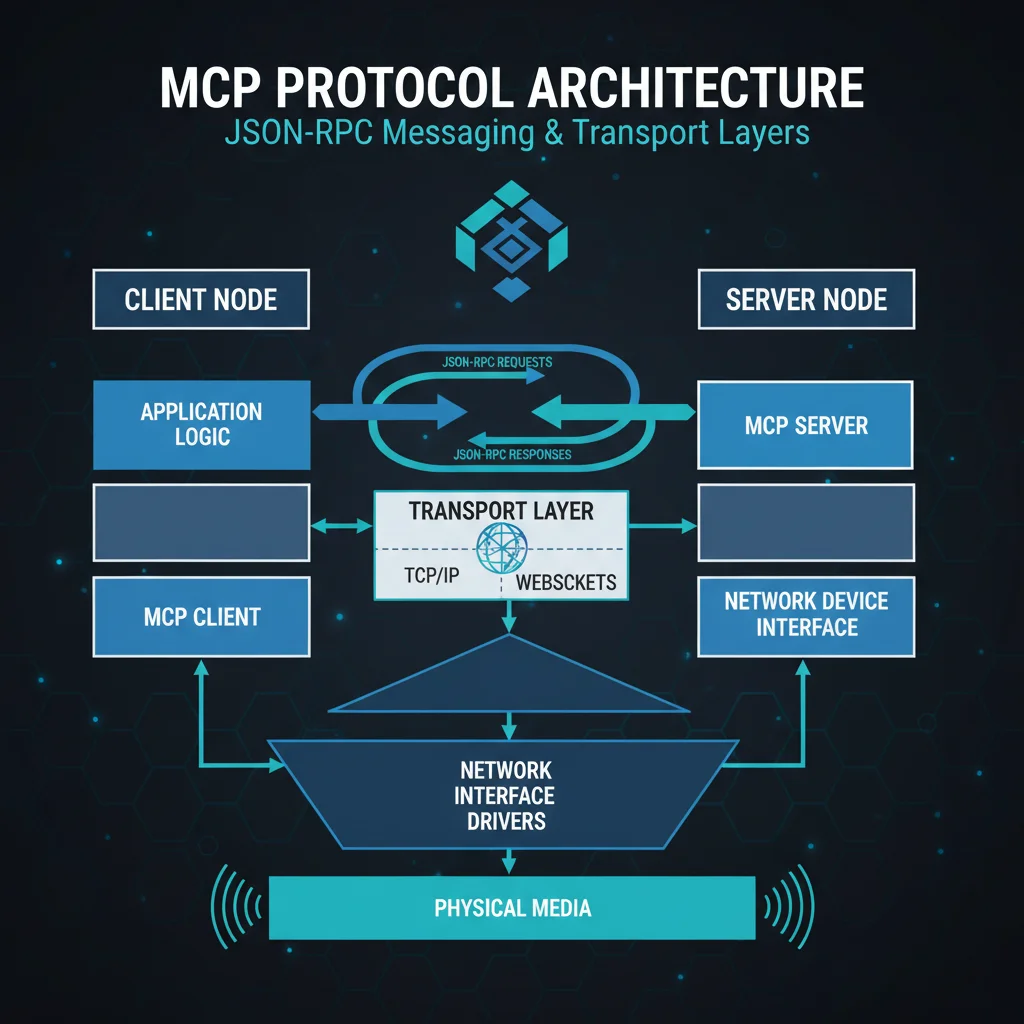
MCP uses JSON-RPC 2.0 as its message format. Every message is a JSON object with a specific structure.
Message Types#
| Type | Has ID | Purpose |
|---|---|---|
| Request | Yes | Ask for something, expect response |
| Response | Yes | Reply to a request |
| Notification | No | One-way message, no reply expected |
The Connection Handshake#
When Claude Desktop connects to your MCP server:
- Client sends
initializerequest with version and client capabilities - Server responds with its version and server capabilities
- Client sends
initializednotification to confirm
After this handshake, they can exchange real requests. The whole thing takes milliseconds.
Capability Negotiation#
This is where MCP gets smart. During initialization, both sides declare what they support:
| Side | Declares |
|---|---|
| Client | roots (file access), sampling (LLM calls) |
| Server | tools, resources, prompts |
If a capability isn't declared, that feature isn't available. This prevents mismatches and ensures both sides agree on what's possible before any work happens.
Error Handling#
MCP uses standard JSON-RPC error codes:
| Code | Meaning |
|---|---|
| -32700 | Parse error (invalid JSON) |
| -32600 | Invalid request |
| -32601 | Method not found |
| -32602 | Invalid params |
| -32603 | Internal error |
For tool-specific errors that aren't protocol violations (like "repository not found"), servers return success with isError: true in the result. This way the AI knows the tool ran but the operation failed.
Troubleshooting MCP Servers#
Things break. Here's how to fix them.
Server Won't Connect#
Symptom: Claude says "Unable to connect to server" or the server doesn't appear.
Common causes:
- The server path is wrong in your config
- The command isn't installed (missing npm package or Python module)
- JSON syntax error in config file
Fix: Check your claude_desktop_config.json syntax. Run the server command manually in terminal to see the actual error.
Tool Not Found#
Symptom: Claude says it can't find a tool you know exists.
Common causes:
- Server crashed during initialization
- Tool name has a typo
- Capability wasn't declared
Fix: Restart Claude Desktop. Check server logs. Use MCP Inspector to verify tools are registered.
Invalid Parameters#
Symptom: Tool calls fail with parameter errors.
Common causes:
- Type mismatch (string vs number)
- Missing required parameter
- Schema doesn't match implementation
Fix: Compare what Claude is sending against the tool's inputSchema. Add better type hints to your server.
Server Crashes on Tool Call#
Symptom: Server disconnects when calling a specific tool.
Common causes:
- Unhandled exception in tool code
- Stdout pollution (using print() instead of stderr)
- Memory issues with large responses
Fix: Wrap tool code in try/catch. Use console.error() for logging (TypeScript) or print(..., file=sys.stderr) for Python.
Debug Mode#
Enable debug logging to see what's happening:
# TypeScript
DEBUG=mcp:* npx tsx server.ts

# Python
MCP_DEBUG=1 fastmcp run server.py
This shows all JSON-RPC messages flowing between client and server.
The Future of MCP#
The Model Context Protocol is moving fast. Here's what's coming:
Recent Updates (2025)#
- OAuth 2.1 — Proper authentication for remote servers
- Streamable HTTP — New transport for simpler integrations
- Elicitation — Servers can ask users for input during tool execution
- Tool Annotations — Better metadata for AI tool selection
Growing Adoption#
Major players are on board:
- Google — Built the official Go SDK
- Microsoft — Windows 11 MCP integration in preview
- OpenAI — Announced MCP support
- JetBrains — Kotlin SDK for IDE integrations
What This Means#
MCP is becoming the standard. If you're building AI integrations, building on MCP means your work is compatible with the entire ecosystem. One server works with Claude, GPT, Gemini, and whatever comes next.
Start Building with MCP#
You've got the knowledge. Now pick your path:
Want to use MCP tools?
- Install Claude Desktop
- Add servers for GitHub, filesystem, databases
- Experience AI with real-world capabilities
Want to build MCP servers?
- Start with Python (FastMCP) for speed
- Or TypeScript for type safety
- Deploy on MCPize to reach users and earn revenue
Want to monetize?
- MCPize handles hosting, billing, distribution
- You keep 80% of revenue (or 85% as a Founding Member if you activate before June 10, 2026)
- One command to deploy
Frequently Asked Questions#
What is MCP an acronym for?#
MCP stands for Model Context Protocol. It was created by Anthropic and released as an open standard in November 2024.
How is MCP different from API?#
MCP is designed for AI agents, not human developers. It's self-describing (AI discovers tools automatically), bidirectional (servers can send updates), and standardized across all AI hosts. APIs require custom integration code for each use case.
What is the MCP protocol used for?#
MCP connects AI assistants to external tools and data. Common uses: file access, GitHub integration, database queries, Slack messaging, and custom business tools.
Is MCP only for Claude?#
No. MCP is an open standard. Any AI host can implement it. Cursor, Windsurf, VS Code (with Continue), and many others already support MCP servers.
Can I build MCP servers without Python or TypeScript?#
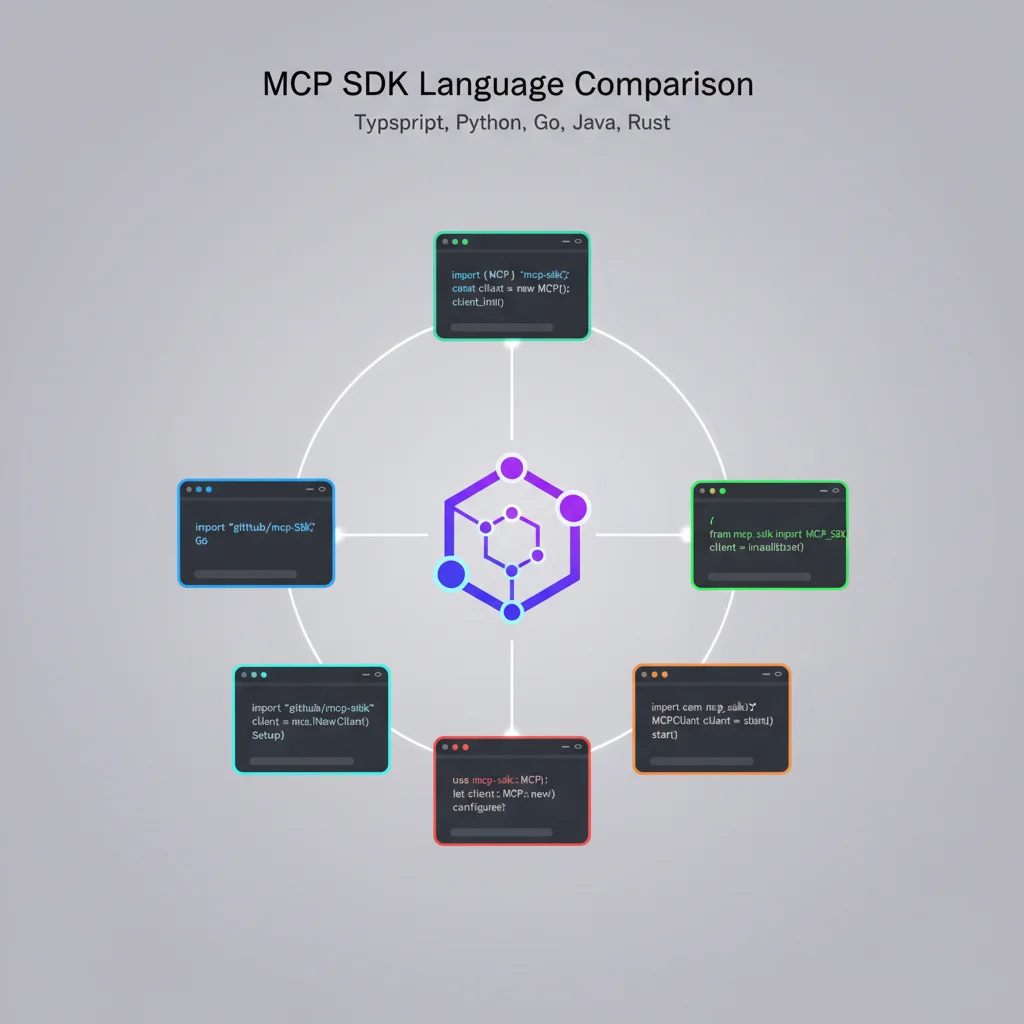
Yes. MCP is just JSON-RPC 2.0 over a transport. Any language can implement it. Official SDKs exist for Python, TypeScript, Go, Java, Rust, and C#. Community SDKs cover Kotlin, PHP, and more.
How do I create an MCP server?#
The fastest way: pip install fastmcp, write a Python file with @mcp.tool decorators, run with fastmcp run server.py. Full tutorials: Python | TypeScript
Key Takeaways#
- MCP (Model Context Protocol) is the universal standard for AI-to-tool connections
- It solves the N×M integration problem: one protocol connects any AI to any tool
- Three components: hosts (AI apps), clients (protocol handlers), servers (your tools)
- Three primitives: tools (actions), resources (data), prompts (templates)
- MCP vs API: MCP is AI-native, self-describing, bidirectional; APIs are for human developers
- Getting started: FastMCP for Python, official SDK for TypeScript
- 2025-2026 updates: OAuth 2.1, remote servers, growing ecosystem
The Model Context Protocol is becoming the standard for AI integrations. Whether you're using existing servers or building your own, understanding MCP is essential for working with AI in 2026 and beyond.
More resources: What is MCP? | Build MCP Server Guide | MCP Server Python Tutorial | Browse MCP Marketplace