MCP Tutorial: Build Your First MCP Server from Scratch#
TL;DR: Use Python + FastMCP for the fastest path. Define tools with @mcp.tool decorators, test with MCP Inspector before Claude, and never print to stdout. Working server in ~25 lines of code — or let Claude Code write them for you.
I remember my first MCP server. It took me three hours to get "Hello World" working — not because MCP is hard, but because I made every mistake in the book. Wrong paths in config. Stdout pollution breaking JSON-RPC. Authentication that worked locally but failed everywhere else.
This MCP tutorial exists so you don't repeat those mistakes. Whether you write code by hand or vibe-code with Claude Code and Cursor, you'll have a working server in 30 minutes, tested properly, with production-ready patterns.
"The best MCP servers I've seen weren't hand-crafted by senior engineers. They were vibe-coded by founders who described what they needed to Claude Code and shipped it the same afternoon." — Oleg Kopachovets, MCPize founder
What we're building: A note-taking MCP server. Simple enough to understand, complex enough to demonstrate real patterns.
What you'll learn:
- The three MCP primitives (tools, resources, prompts) and when to use each
- Python vs TypeScript — which to choose and why
- Testing strategies that catch bugs before Claude does
- The security mistakes 53% of MCP developers make
- Production deployment patterns used by real servers
What You Need Before Starting#
If you're vibe-coding (using Claude Code, Cursor, or similar): You barely need anything. Open your AI tool and say: "Set up a Python project for an MCP server with FastMCP." It handles virtual environments, dependencies, and file structure. You just need:
- An AI coding tool — Claude Code, Cursor, or VS Code with Copilot
- Claude Desktop, Cursor, or VS Code to test your server
- ~15-30 minutes
If you're coding manually: You'll also want Python 3.10+ (or Node.js 18+ for TypeScript) and a text editor.
"Use ready-made boilerplates and templates — everything is already configured there, and you won't repeat mistakes that others already made for you. Don't start from scratch when a proven starting point exists." — Oleg Kopachovets, MCPize founder
Check the MCPize developer guide for starter templates that include project structure, testing setup, and deployment config out of the box.
The MCP Ecosystem in 2026: What You're Building Into#
Before writing code, understand the landscape. MCP has grown explosively since Anthropic released it in November 2024:
| Metric | Value (Early 2026) |
|---|---|
| Total MCP servers | 19,000+ |
| Monthly SDK downloads | 97 million |
| GitHub stars (spec repo) | 74,000+ |
| Governed by | Linux Foundation (AAIF) |
| Supporting clients | Claude, ChatGPT, Cursor, VS Code, Gemini, 10+ more |
This isn't a toy protocol. In December 2025, Anthropic donated MCP to the Agentic AI Foundation under the Linux Foundation, co-founded by Anthropic, OpenAI, and Block. Every major AI platform supports it. When you build an MCP server, you're building for an ecosystem that's becoming infrastructure.
MCP Architecture: What Actually Matters#
Skip the diagrams. Here's what you need to know:
Three primitives. That's it.
| Primitive | Purpose | Your Example |
|---|---|---|
| Tools | Actions AI can take | add_note, search_notes |
| Resources | Data AI can read | notes://meeting-notes |
| Prompts | Reusable instructions | Not covered here |
Tools are 90% of what you'll build. When someone asks Claude "save this as a note," Claude calls your add_note tool. When they ask "what notes do I have?", Claude calls list_notes. Simple request-response.
Resources are for read-only data. Think files, database records, API responses. Claude can browse them but can't modify through resources — that's what tools are for.
The communication is JSON-RPC over stdio. Claude Desktop spawns your server as a subprocess. They exchange JSON messages through stdin/stdout. Your server never needs to handle HTTP, WebSockets, or authentication for local use.
What Happens When You Call a Tool#
Understanding the flow makes debugging 10x easier. Here's exactly what happens when you tell Claude "Add a note called meeting-recap with today's action items":
-
Claude reads tool definitions. When your server starts, it tells Claude: "I have these tools:
add_note,list_notes,search_notes." Each tool includes a description and input schema. -
Claude picks the right tool. Based on your request, Claude decides
add_noteis the best match. It formats the arguments:{ "title": "meeting-recap", "content": "Today's action items..." }. -
Claude sends a JSON-RPC request. Over stdio, Claude sends a structured message to your server — something like
{"method": "tools/call", "params": {"name": "add_note", "arguments": {...}}}. -
Your server executes the function. Your
add_notefunction runs, saves the note, and returns a result:"Added: meeting-recap". -
Claude reads the response and tells you: "Done — I've saved your meeting recap note."
The entire round-trip takes milliseconds. You don't need to build any of this plumbing — the MCP SDK handles it. Your job is just writing the functions (or describing them to Claude Code and letting AI write them).
Python, TypeScript, or Go? The Real Tradeoffs#
All three work. Here's how to decide:
| Factor | Python (FastMCP) | TypeScript (SDK) | Go |
|---|---|---|---|
| Setup time | 2 minutes | 4 minutes | 5 minutes |
| Lines of code | ~40% less | More verbose | Moderate |
| Performance | Good | Good | Best (high concurrency) |
| Vibe-coding friendly | Best (decorators are natural language) | Good | Moderate |
| Type safety | Runtime only | Compile-time | Compile-time |
| Best for | Prototypes, data, ML | Production apps, type-heavy codebases | High-performance, scale |
"If you need the fastest, most performant MCP servers — look at Golang. For prototyping and vibe-coding, Python is unbeatable. But when it's time to scale to thousands of concurrent connections, Go wins every time." — Oleg Kopachovets, MCPize founder
For this tutorial, we use Python. It's the fastest path and the most natural for vibe-coding — the decorator syntax reads almost like plain English. You can always rewrite in TypeScript or Go later. For language-specific deep dives, see our choosing an MCP server language guide.
Python Tutorial: Build the Notes Server#
Vibe-coding approach: Open Claude Code and say: "Create an MCP server with FastMCP that manages notes — I need add_note, list_notes, and search_notes tools." Claude generates exactly the code below. If you prefer to type it yourself, follow along.
Setup (2 minutes)#
mkdir mcp-notes && cd mcp-notes
python -m venv venv && source venv/bin/activate
pip install fastmcp
The Core Pattern#
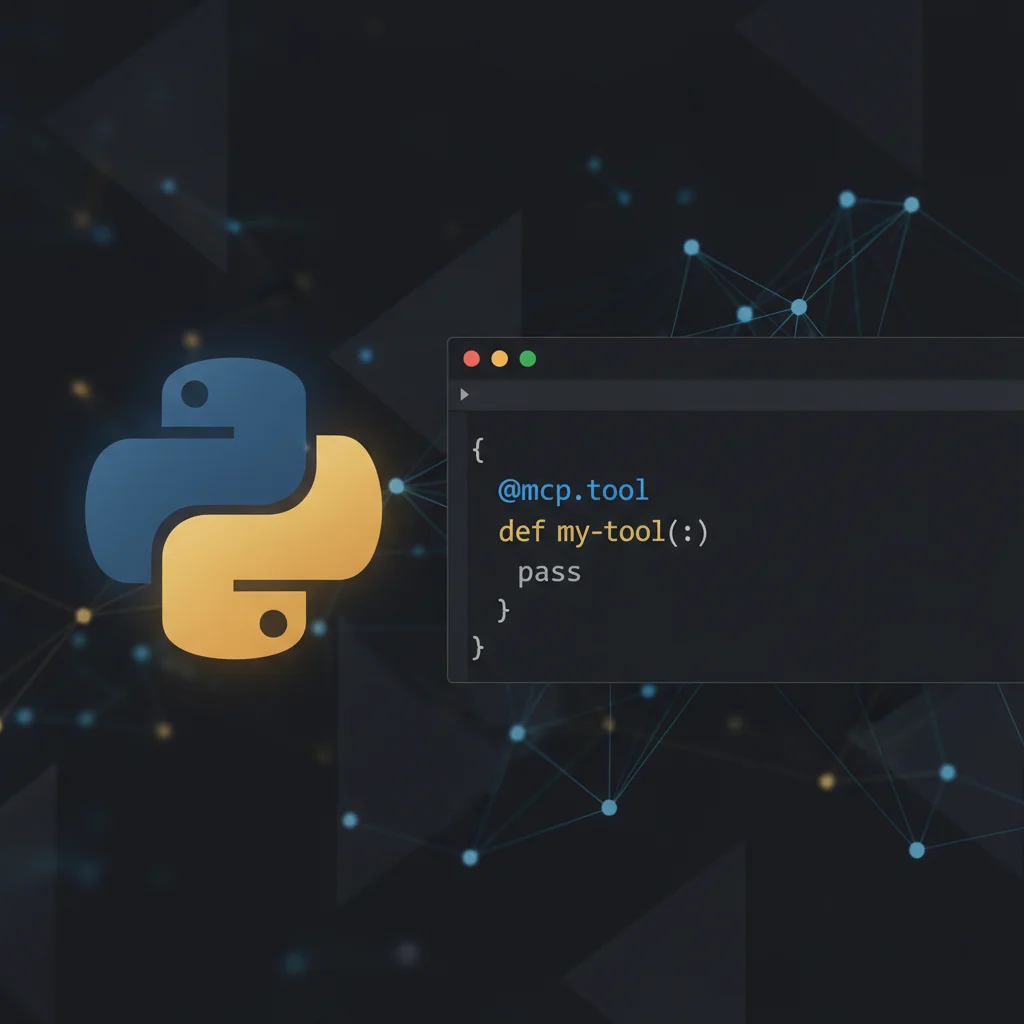
FastMCP uses decorators. One decorator = one MCP tool:
from fastmcp import FastMCP

mcp = FastMCP(name="NotesServer")
notes: dict[str, str] = {}

@mcp.tool
def add_note(title: str, content: str) -> str:
    """Add a new note."""  # This docstring becomes the tool description
    notes[title] = content
    return f"Added: {title}"
That's a working MCP server. The @mcp.tool decorator:
- Registers the function as an MCP tool
- Generates JSON Schema from type hints
- Uses the docstring as the tool description Claude sees
Adding More Tools#
@mcp.tool
def list_notes() -> str:
    """List all note titles."""
    return "\n".join(notes.keys()) if notes else "No notes yet"

@mcp.tool
def search_notes(query: str) -> str:
    """Search notes by keyword."""
    matches = [t for t, c in notes.items() if query.lower() in c.lower()]
    return "\n".join(matches) if matches else "No matches"
Running It#
if __name__ == "__main__":
    mcp.run(transport="stdio")
Complete server: ~25 lines. Whether you wrote it by hand or vibe-coded it, the result is identical. The decorators are so readable that reviewing AI-generated MCP code is trivial — you can immediately tell what each tool does.
Adding Resources (Read-Only Data)#
Tools let AI do things. Resources let AI read things — without executing any action. Think dashboards, status pages, or configuration files.
Add a resource to your notes server so Claude can browse all notes at once:
@mcp.resource("notes://all")
def all_notes() -> str:
    """All saved notes as a formatted list."""
    return "\n".join(f"- {t}: {c}" for t, c in notes.items()) if notes else "No notes yet"
Now Claude can access notes://all to see everything without calling a tool. Resources are perfect for:
- Exposing data Claude can reference in conversations (database schemas, configs, status)
- Read-only access where you don't want AI to modify anything
- Context loading — give Claude background information before it starts working
For this tutorial, tools are 90% of what you need. But as your servers grow, resources become essential for providing context.
TypeScript Tutorial: The Same Server#
For those who prefer TypeScript or need it for their stack:
mkdir mcp-notes-ts && cd mcp-notes-ts
npm init -y
npm install @modelcontextprotocol/sdk
npm install -D typescript @types/node
The TypeScript SDK is more explicit. You define tool schemas manually:
const notes = new Map<string, string>();

server.setRequestHandler(ListToolsRequestSchema, async () => ({
  tools: [{
    name: "add_note",
    description: "Add a new note",
    inputSchema: {
      type: "object",
      properties: {
        title: { type: "string" },
        content: { type: "string" }
      },
      required: ["title", "content"]
    }
  }]
}));
Then handle the calls:
server.setRequestHandler(CallToolRequestSchema, async (request) => {
  const { name, arguments: args } = request.params;
  if (name === "add_note") {
    notes.set(args.title, args.content);
    return { content: [{ type: "text", text: `Added: ${args.title}` }] };
  }
});
More verbose, but you get compile-time type checking. Worth it for larger servers.
Testing: Where Most Tutorials Fail You#
Here's what nobody tells you: the MCP Inspector is non-negotiable. Don't skip to Claude Desktop testing. You'll waste hours on bugs that the Inspector catches in seconds.
MCP Inspector (Required First Step)#
npx @anthropic/mcp-inspector python server.pyThis opens a browser UI where you can:
- See all registered tools and their schemas
- Call tools with test inputs
- View the raw JSON-RPC messages
- Catch schema errors before Claude does
Testing workflow:
- Add tool → Test in Inspector → Works? → Next tool
- Never batch multiple changes before testing
- If it works in Inspector but fails in Claude, the bug is in your config
Manual JSON-RPC Testing#
For quick checks without the Inspector:
echo '{"jsonrpc":"2.0","method":"tools/list","id":1}' | python server.pyYou should see your tools in the response. If you see Python errors or empty results, fix those first.
Connect to Your AI Client#
Now the payoff. MCP works with every major AI tool — not just Claude Desktop. Here's how to connect your server to each one.
Claude Code (Fastest — One Command)#
claude mcp add notes -- python /absolute/path/to/server.pyThat's it. Claude Code picks it up immediately. No config files, no restart.
Claude Desktop#
Find your config file:
| OS | Path |
|---|---|
| macOS | ~/Library/Application Support/Claude/claude_desktop_config.json |
| Windows | %APPDATA%\Claude\claude_desktop_config.json |
| Linux | ~/.config/Claude/claude_desktop_config.json |
Add your server:
{
  "mcpServers": {
    "notes": {
      "command": "python",
      "args": ["/absolute/path/to/server.py"]
    }
  }
}
Critical: Use absolute paths. Relative paths fail silently. Restart Claude Desktop (fully quit, not just close window).
Cursor#
Create .cursor/mcp.json in your project root:
{
  "mcpServers": {
    "notes": {
      "command": "python",
      "args": ["/absolute/path/to/server.py"]
    }
  }
}
Restart Cursor. Your tools appear in the AI chat automatically.
VS Code + Copilot#
Add to your VS Code settings.json:
{
  "mcp": {
    "servers": {
      "notes": {
        "command": "python",
        "args": ["/absolute/path/to/server.py"]
      }
    }
  }
}
For a deeper guide on each client, see our Claude MCP guide and Cursor MCP guide.
Test with any client: "Add a note called 'test' with content 'hello world'".
The Security Mistakes You Need to Avoid#
This is where most MCP tutorials stop. But shipping an insecure server is worse than shipping nothing. Here's what the research shows:
53% of MCP servers use insecure static secrets — hardcoded API keys that never expire. The State of MCP Security 2025 report found this is the #1 vulnerability.
43% have command injection vulnerabilities. When your tool takes user input and passes it to a shell command or database query, you need to sanitize.
Only 8.5% use OAuth properly. Most developers default to API keys because OAuth is harder. But for production servers handling user data, it's necessary.
What To Do#
For local-only servers (like our notes example): You're fine. Claude Desktop handles user identity. No network exposure.
For servers you'll publish:
- Never hardcode credentials. Use environment variables.
- Validate all inputs before using them in commands or queries.
- Implement OAuth if your server accesses external APIs on behalf of users.
# Bad: Command injection risk
@mcp.tool
def run_command(cmd: str) -> str:
    return os.popen(cmd).read()  # Never do this

# Good: Validate inputs, use safe APIs
@mcp.tool
def get_file(filename: str) -> str:
    if ".." in filename or filename.startswith("/"):
        return "Error: Invalid path"
    safe_path = Path("./data") / filename
    return safe_path.read_text() if safe_path.exists() else "Not found"
Production Patterns: Beyond the Tutorial#
When you're ready to deploy for real users, these patterns matter.
Persistent Storage#
Replace in-memory dict with SQLite:
import sqlite3
from pathlib import Path

DB = Path.home() / ".mcp-notes.db"

def get_db():
    conn = sqlite3.connect(DB)
    conn.execute("CREATE TABLE IF NOT EXISTS notes (title TEXT PRIMARY KEY, content TEXT)")
    return conn
Docker Deployment#
FROM python:3.12-slim
WORKDIR /app
COPY requirements.txt .
RUN pip install -r requirements.txt
COPY server.py .
USER 1000:1000
CMD ["python", "server.py"]
Key patterns from production MCP servers:
- Minimal base images (alpine/distroless)
- Non-root user
- Health checks for orchestration
- Secrets via environment variables, never in image
Kubernetes (For Scale)#
Real MCP deployments at scale use:
- HPA for autoscaling on request volume
- Readiness probes hitting
/healthendpoints - Secrets via cloud secret managers (AWS Secrets Manager, Azure Key Vault)
- Workload identity instead of static credentials
The Azure AKS team published a reference architecture for MCP servers that's worth reading if you're going this route.
Common Errors and How to Fix Them#
After helping dozens of developers with their first MCP servers, these are the issues I see repeatedly:
| Error | Cause | Fix |
|---|---|---|
| "Tool not found" | Typo in tool name | Check exact spelling |
| Server hangs | Print to stdout | Use stderr for logging |
| "Connection refused" | Server crashed on startup | Run manually to see errors |
| Works in Inspector, fails in Claude | Config path issue | Use absolute paths |
| Empty tool list | Decorators not applied | Check @mcp.tool syntax |
The #1 mistake: Printing to stdout. Your server communicates with Claude via stdout. If you print("debug message"), you corrupt the JSON-RPC stream. Use print(..., file=sys.stderr) for debugging.
What to Build Next#
You've got the fundamentals. Here are ideas for servers that solve real problems:
High-value niches on MCPize:
- Database connectors (PostgreSQL, MongoDB) — always in demand
- Git/GitHub automation — developers love these
- Calendar/task management — productivity gold
- API wrappers for services without MCP support
- Internal company tools (CRM queries, order lookups, analytics)
The Fastest Path: Convert an Existing API#
If your team already has a REST API, you don't need to build from scratch.
"Here's a shortcut most people miss: if you already have a REST API, you can convert it to an MCP server in minutes. MCPize makes this trivially easy — point it at your OpenAPI spec and you're done. No rewriting, no refactoring." — Oleg Kopachovets, MCPize founder
MCPize can take an OpenAPI spec and generate a working MCP server automatically. Or describe it to Claude Code: "Build me an MCP server that wraps our Shopify API — I need tools to query orders by date range and look up customers by email." AI generates the server, you test it, you deploy it.
What makes servers successful:
| Factor | Why It Matters |
|---|---|
| Solves specific pain | Generic servers lose to focused ones |
| Dead simple to configure | Complex setup = abandoned installs |
| Reliable | One outage kills trust |
| Free tier | Drives trials, converts to paid |
The top-earning servers on MCPize make $500-2000/month. They're not complex — they just solve one problem exceptionally well. Many were vibe-coded by founders who never hand-wrote a line.
Publish and Earn#
Ready to share your server?
pip install mcpize
mcpize init      # Creates manifest
mcpize dev       # Test locally
mcpize deploy    # Ship it
You set the price. MCPize handles hosting, billing, auth. You keep 80% of revenue (or 85% as a Founding Member if you activate before June 10, 2026).
Learn How to MonetizeFrequently Asked Questions#
How long does it take to build a real MCP server?#
A simple server (like our notes example): 30 minutes. A production server with database, auth, and error handling: 2-4 hours. A full-featured server with multiple tools: 1-2 days.
Can I use async/await?#
Yes. Both FastMCP and the TypeScript SDK fully support async:
@mcp.tool
async def fetch_data(url: str) -> str:
    async with aiohttp.ClientSession() as session:
        async with session.get(url) as response:
            return await response.text()
My server works in Inspector but not in Claude?#
Check these in order:
- Config uses absolute path (not relative)
- Correct Python/Node in config (check
which python) - Claude Desktop fully restarted (not just window closed)
- View logs:
tail -f ~/Library/Logs/Claude/mcp*.log
How much can I earn?#
Depends on the niche. Database connectors and productivity tools with clear value propositions perform best. Top servers earn $500-2000/month. The key is solving a specific problem well, not building a "does everything" tool.
Should I use Python or TypeScript?#
Python/FastMCP for rapid development, vibe-coding, and data-focused servers. TypeScript for production apps where type safety matters. Go for high-performance servers at scale. All three are first-class citizens in the MCP ecosystem.
Do I need to know how to code?#
No. To use MCP servers, you just install them — zero coding. To build one, you can vibe-code it: describe what you want to Claude Code or Cursor in plain English, and AI generates the server code. Many successful MCP servers on MCPize were built by product managers and founders who never hand-wrote Python or TypeScript.
Can I use MCP with Cursor, VS Code, or ChatGPT?#
Yes. MCP is supported by Claude Desktop, Claude Code, Cursor, VS Code + Copilot, ChatGPT Desktop, Gemini, Windsurf, Zed, and more. See the Connect to Your AI Client section above for config examples.
What's the difference between tools and resources?#
Tools are actions — add a note, run a query, send a message. Claude calls them. Resources are data — file contents, database schemas, status dashboards. Claude reads them. Most servers start with tools; add resources when you need to give AI background context.
Can I convert my existing API to an MCP server?#
Yes — and it's often the fastest path. If you have an OpenAPI spec, MCPize can generate a working MCP server automatically. You can also wrap any REST API manually: create a tool for each endpoint, use aiohttp or fetch to call the API inside your tool function, and return the results.
Summary#
In this MCP tutorial, you learned:
- MCP's three primitives: tools (actions), resources (data), prompts (instructions)
- Building servers in Python (FastMCP) and TypeScript (SDK) — or vibe-coding them with Claude Code
- Connecting to Claude Desktop, Claude Code, Cursor, and VS Code
- Testing with MCP Inspector before going live
- Security patterns that 53% of developers get wrong
- Production deployment with Docker and Kubernetes
- Converting existing APIs to MCP servers
The ecosystem is real. The protocol is stable. Whether you hand-craft your server or vibe-code it in an afternoon — the opportunity is now.
Publish Your Server Explore MCP ServersQuestions? Join the MCPize Discord or explore more MCP guides.