What is MCP? Model Context Protocol Explained#
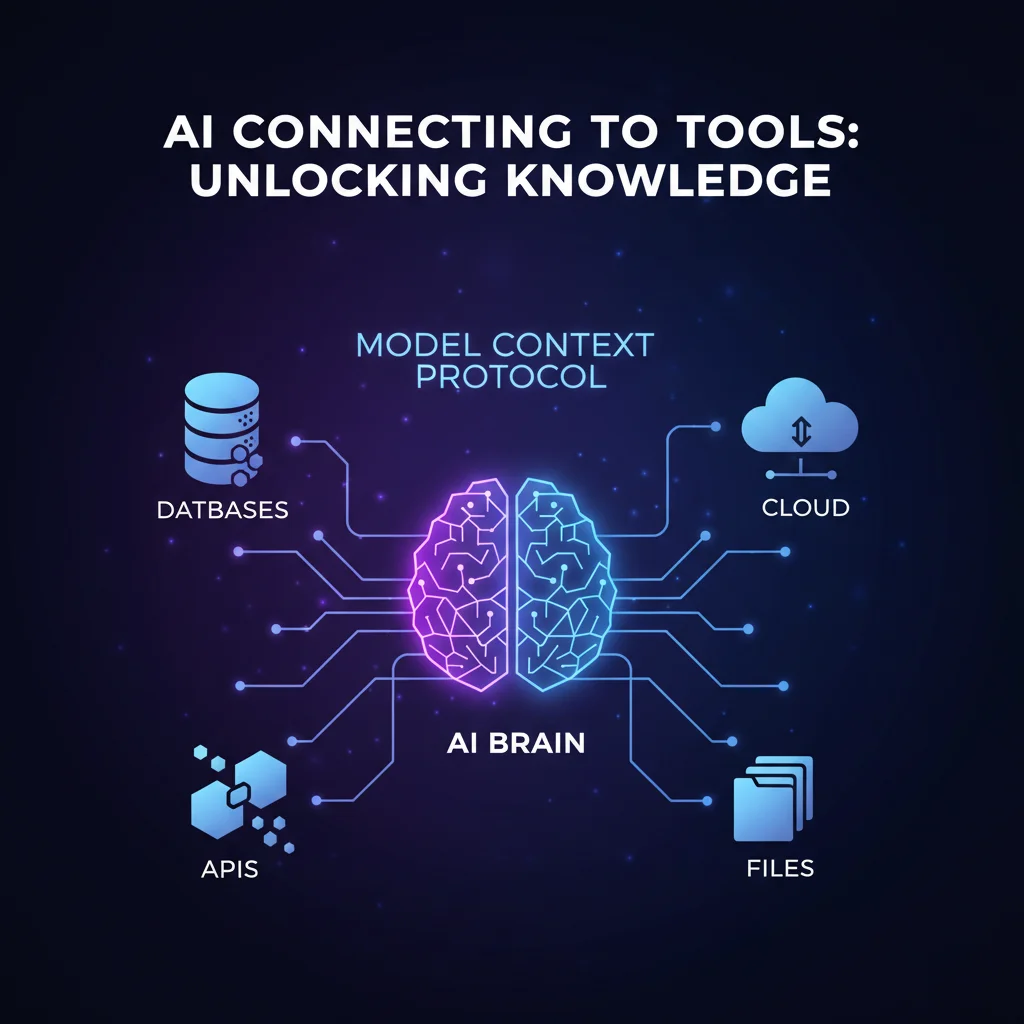
TL;DR: MCP is an open standard by Anthropic that lets AI assistants connect to external tools like databases, GitHub, and Slack. One protocol, any AI, any tool. Think USB-C for AI integrations.
Imagine asking your AI assistant: "What's the status of my GitHub PRs?" — and actually getting an answer. Not a generic explanation of how to check GitHub, but your real data from your real repositories.
That's what Model Context Protocol makes possible.
MCP is an open standard created by Anthropic that lets AI assistants connect to external tools — databases, APIs, file systems, and more. Instead of being isolated and "dumb," your AI becomes genuinely useful. And the best part? You don't need to be a senior engineer to use it — or even to build your own MCP server. If you can describe what you want to Claude or Cursor, you can vibe-code a working integration in an afternoon.
Browse MCP Servers"I've been working with neural networks since the early 2000s and training LLMs since 2020. The biggest frustration was always the same: AI models are brilliant in isolation, but completely blind to the world around them. MCP changes that fundamentally." — Oleg Kopachovets, MCPize founder
The Problem MCP Solves#
Before MCP, AI assistants lived in a bubble. They could only work with what you copy-pasted into the chat window. Need a database query? Ask engineering and wait three days. Want to pull metrics for your board deck? Export CSVs manually. Every tool needed its own custom integration. Every AI platform built connectors from scratch. The result? A fragmented ecosystem where everyone — developers and non-developers alike — wasted time on busywork that AI should handle.
Before MCP:
You: "What's in my database?" AI: "I can't access your database. Please share the data you'd like me to analyze."
After MCP:
You: "What's in my database?" AI: "You have 3,847 users. The top 10 by revenue are..."
The difference? MCP creates a standard way for AI to talk to external systems — securely and with your permission. Build one MCP server for your tool (or let AI build it for you), and it works with Claude, ChatGPT, Cursor, VS Code, and every other MCP-compatible client. Whether you're a developer, a product manager, or a founder who vibe-codes — MCP puts real data at your fingertips.
How MCP Works#
Think of MCP like USB for AI. Before USB, every device needed its own special cable. After USB, everything just works with one standard connector.
MCP does the same for AI integrations:
| Without MCP | With MCP |
|---|---|
| 5 AI apps × 10 tools = 50 custom integrations | 5 clients + 10 servers = 15 implementations |
| Each integration needs custom code | One standard protocol for all |
| Months of development | Minutes to connect |
The Three Players#
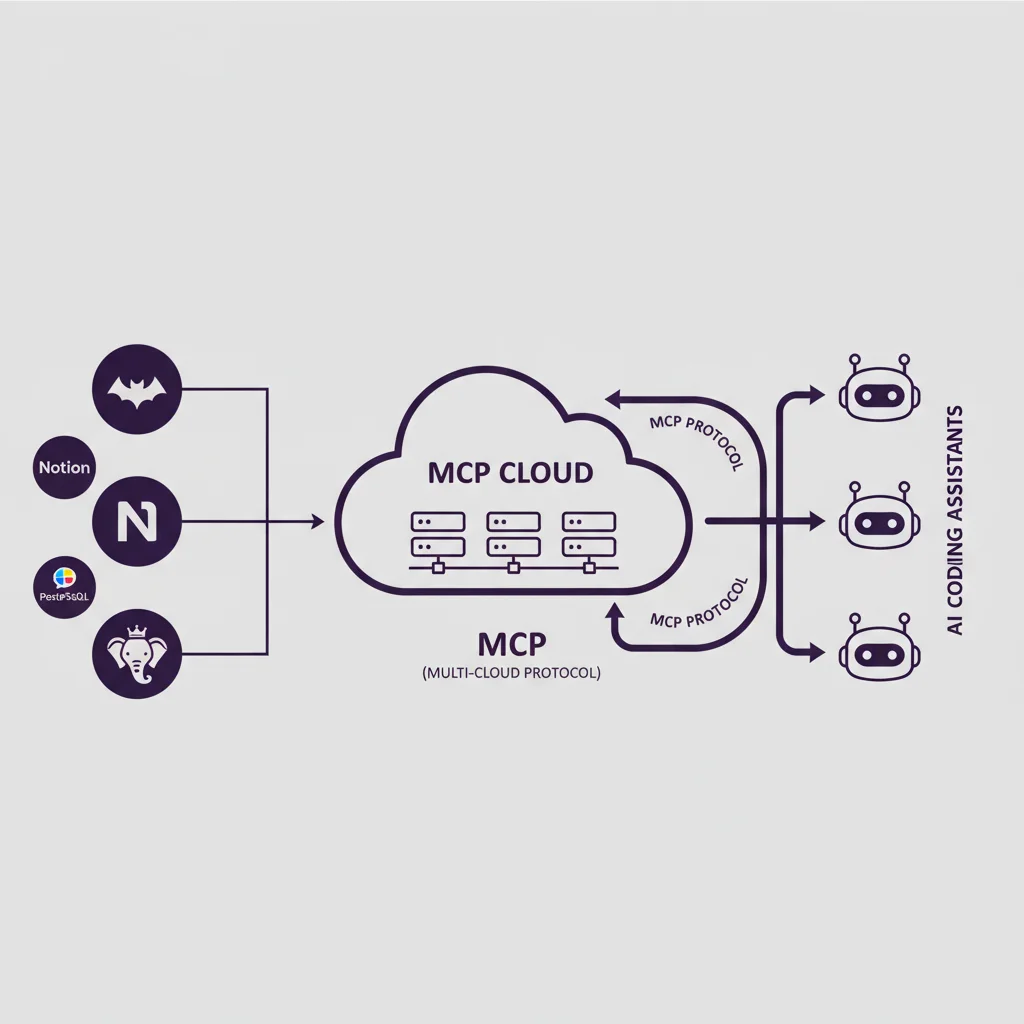
MCP Host — Your AI application (Claude, Cursor, VS Code). It's the brain that wants to use tools.
MCP Client — The connection manager inside the host. One client per tool connection.
MCP Server — The tool itself (GitHub, PostgreSQL, Slack). It exposes capabilities to AI.
When you tell Claude "connect to my GitHub," Claude creates a client that talks to the GitHub MCP server. They exchange messages using a simple protocol, and suddenly your AI can create issues, review PRs, and manage repositories.
Under the Hood#
You don't need to understand the internals to use MCP — just like you don't need to know how USB works to plug in a cable. But if you're curious (or vibe-coding your own server), here's what's happening behind the scenes.
MCP uses JSON-RPC 2.0 as its message format — the same battle-tested protocol used by the Language Server Protocol (LSP) that powers every modern code editor. Messages flow between client and server over one of two transports:
- stdio (local) — For servers running on your machine. The AI app launches the server process and communicates via standard input/output. Zero network overhead.
- Streamable HTTP (remote) — For cloud-hosted servers. Uses HTTP with server-sent events (SSE) for real-time streaming. This is how managed MCP servers like those on MCPize work.
Every MCP server exposes three types of capabilities, called primitives:
Tools — Functions the AI can call. "Search GitHub issues," "Run SQL query," "Send Slack message." These are the actions.
Resources — Data the AI can read. File contents, database schemas, API responses. Think of them as context the AI can pull in.
Prompts — Reusable prompt templates. Pre-built workflows like "Summarize this PR" or "Generate a migration script."
Here's what a tool definition looks like in practice:
{
  "name": "query_database",
  "description": "Run a read-only SQL query",
  "inputSchema": {
    "type": "object",
    "properties": {
      "sql": { "type": "string" }
    }
  }
}
Don't worry about memorizing this — when you vibe-code a server, Claude or Cursor writes these definitions for you. The AI sees the definition, understands what the tool does, and calls it when needed — all through a standardized interface. For a deeper technical breakdown, see our MCP Protocol Deep Dive.
The MCP Ecosystem in Numbers#
The protocol launched in November 2024. The growth since then has been extraordinary:
| Metric | Value (Early 2026) |
|---|---|
| Total MCP servers | 19,000+ |
| Monthly SDK downloads | 97 million |
| GitHub stars (spec repo) | 74,000+ |
| Supported AI clients | 15+ |
In December 2025, Anthropic donated MCP to the Agentic AI Foundation (AAIF) under the Linux Foundation, co-founded by Anthropic, OpenAI, and Block. This cemented MCP as a vendor-neutral industry standard — not a single company's project.
Who Supports MCP#
What started as an Anthropic initiative is now backed by every major AI platform:
| AI Client | MCP Support | Notes |
|---|---|---|
| Claude Desktop | Nov 2024 | Created MCP, first-class support |
| Claude Code | 2025 | CLI with native MCP integration |
| Cursor | Early 2025 | Popular AI-native IDE |
| VS Code + Copilot | 2025 | Microsoft's adoption brought MCP to millions |
| ChatGPT Desktop | Mar 2025 | OpenAI adopted the standard |
| Gemini | 2025 | Google launched managed MCP servers |
| Windsurf | 2025 | Codeium's AI IDE |
| Zed | 2025 | High-performance editor |
The pattern is clear: MCP won. Every major AI application now speaks the same protocol. When you build an MCP server, it works everywhere — and you can find the best ones on the MCPize marketplace.
Popular MCP Servers#
The ecosystem has servers for almost everything:
Most Popular:
- Context7 — Get up-to-date library docs (39K+ stars)
- GitHub — Manage repos, issues, PRs through conversation
- Playwright — Automate browsers, take screenshots
- PostgreSQL — Query databases with natural language
- Slack — Send messages, manage channels
Explore the full catalog of servers across all categories, from databases and version control to AI & ML tools and web scraping. You can also check our curated list of top MCP servers.
Real-World Use Cases#
Theory is nice, but what can you actually do with MCP today? Here are real scenarios that product managers, founders, and vibe-coders use daily:
Product analytics without SQL. Ask: "Which users signed up in the last 7 days and haven't completed onboarding?" The PostgreSQL MCP server runs the query against your live database and returns real numbers. No more waiting for engineering to pull a report.
Project management on autopilot. Ask Claude: "Summarize all PRs merged this week and flag any that skipped tests." The GitHub MCP server pulls your actual repository data — no copy-pasting diffs into chat. Perfect for standups and sprint reviews.
Team communication. Tell your AI: "Post the sprint summary to #engineering on Slack." The Slack MCP server sends the message directly. No switching apps, no formatting headaches.
Competitive research. Say: "Take a screenshot of our competitor's pricing page and summarize the differences with ours." Playwright MCP launches a real browser, captures the page, and your AI analyzes it — all in one conversation.
Documentation lookup. Ask: "Show me how useEffect cleanup works in React 19." Context7 MCP fetches the latest documentation — not training data from months ago, but the actual current docs. Essential when you're vibe-coding.
Customer insights. Ask: "Show me our conversion funnel for the last 30 days and highlight the biggest drop-off." Your analytics MCP server pulls live data, and AI turns it into actionable insights — the kind of analysis that used to require a data team.
The key insight: MCP doesn't just answer questions about your tools — it lets AI use them. Reading, writing, executing. That's the difference between a chatbot and an AI assistant that actually assists. And you don't need to write a single line of code to start using it.
Getting Started in 2 Minutes#
Want to try MCP? You have two paths — pick the one that fits your style:
Path 1: Use ready-made servers (zero coding). Browse the MCPize marketplace, find a server for your tool — GitHub, Slack, PostgreSQL, you name it — and follow the install instructions. Most take under a minute. This is the fastest way to plug AI into your existing workflow.
Path 2: Vibe-code your own. Open Claude or Cursor and describe what you want: "Build me an MCP server that connects to our Notion workspace and lets me query project statuses." AI writes the code. Deploy to MCPize hosting with one command. You just built a custom integration without writing a single line by hand.
Quick start (either path): Install Claude Desktop from claude.com/download, then add a server to your config:
{
  "mcpServers": {
    "context7": {
      "command": "npx",
      "args": ["-y", "@upstash/context7-mcp"]
    }
  }
}
Restart Claude and ask: "Show me the latest React hooks documentation." That's it — your AI now pulls live library docs. Try the same with any of the 19,000+ servers available on the MCPize marketplace.
Security: You're in Control#
Connecting AI to real systems sounds scary. MCP was designed with security as a core principle, not an afterthought:
Permission-based — Every MCP server declares exactly what it can do. Before a tool runs, you see what it wants to access and explicitly approve. This human-in-the-loop model means AI never acts without your consent.
Scoped access — Servers can be configured as read-only or read-write. Want your AI to query the database but never modify it? Set it to read-only. Need it to create GitHub issues but not delete repos? Scope the permissions precisely.
Local by default — Most servers run on your machine via stdio transport. Your data never leaves your computer. The AI app communicates with the server process directly — no network, no cloud, no third-party access.
OAuth 2.1 for remote servers — Cloud-hosted MCP servers use OAuth 2.1 with PKCE for authentication. Tokens are scoped, rotated, and auditable. The same security model used by banks and enterprise software.
Encrypted transport — Remote MCP connections use HTTPS with TLS encryption. Every message between client and server is encrypted in transit.
Enterprise-ready — Organizations using platforms like MCPize hosting can configure VPC isolation, IP allowlists, and audit logging. Every tool invocation is traceable.
The key principle: AI can only access what you explicitly allow. Start with read-only servers if you're cautious. Expand permissions as you build trust.
The Future of Integration: MCP vs Traditional APIs#
Why not just let AI call REST APIs directly?
| Aspect | REST APIs | MCP |
|---|---|---|
| Discovery | Read docs, write code | Auto-discovery |
| Integration | Custom per service | One standard |
| Context | Stateless | Session-aware |
| Designed for | Human developers | AI agents |
| Permission | Per-service tokens | Unified model |
The Model Context Protocol treats AI as a first-class citizen that can discover and use tools autonomously — not as a programmer who needs to read documentation.
But MCP's impact goes far beyond replacing API calls. It represents a fundamental shift in how software systems communicate.
"Classic APIs will gradually fade, just like XML/SOAP and other legacy protocols faded before them. Services will integrate by simply connecting an MCP server — no more negotiating data formats, object schemas, or endpoint contracts. I believe by 2035, MCP will be the primary standard for inter-service communication. We're watching the birth of a new integration paradigm." — Oleg Kopachovets, MCPize founder
Think about it: today, integrating two services means agreeing on API schemas, versioning endpoints, writing client libraries, handling pagination, managing rate limits. With MCP, a service simply publishes what it can do as tools and resources. Any MCP client — whether it's an AI agent, another service, or a human-facing app — connects and starts working. The protocol handles discovery, context, and capability negotiation automatically.
MCP vs RAG#
A question we hear constantly: "Isn't MCP just RAG?" Not at all.
"Comparing MCP to RAG is like comparing a hair dryer to a comb — yes, both are for your hair, but they do completely different things. RAG fetches static documents; MCP lets AI actually do things in the real world. Smart teams use both." — Oleg Kopachovets, MCPize founder
| Aspect | RAG | MCP |
|---|---|---|
| Data source | Pre-indexed documents | Live systems |
| Actions | Read-only retrieval | Read + write + execute |
| Freshness | Stale (needs re-indexing) | Real-time |
| Use case | Q&A over knowledge bases | Full tool usage |
| Scope | Your documents | Any external system |
RAG (Retrieval-Augmented Generation) is great for answering questions from your internal docs — company wikis, support articles, PDF manuals. But it can't do anything. It can't create a Jira ticket, send a Slack message, or deploy your app.
MCP connects AI to live, interactive systems. It reads, writes, and executes. The two are complementary: use RAG for your knowledge base, use MCP for everything else.
Frequently Asked Questions#
What does MCP stand for?#
Model Context Protocol. It's an open standard for connecting AI applications to external tools and data. Created by Anthropic in November 2024, now governed by the Linux Foundation's Agentic AI Foundation.
Is MCP only for Claude/Anthropic?#
No. OpenAI (ChatGPT), Google (Gemini), Microsoft (VS Code Copilot), and many other platforms support MCP. It's a vendor-neutral open standard. Build one MCP server, and it works with every compatible client.
Is it safe to connect AI to my tools?#
Yes, with proper precautions. MCP includes permission scoping, human-in-the-loop approval, and supports read-only configurations. Every tool invocation requires explicit consent. Start with read-only servers if you're cautious.
How is MCP different from plugins?#
Plugins are proprietary and platform-specific (think ChatGPT plugins or Chrome extensions). MCP is an open protocol — build once, works everywhere. No vendor lock-in.
Can I build my own MCP server?#
Absolutely — and you don't need to know TypeScript or Python to do it. Many builders vibe-code their MCP servers: describe what you want in plain English to Claude or Cursor, and AI generates the server code for you. From idea to working server in an afternoon. Check our developer guide and build tutorial to get started, or deploy and monetize your server on MCPize.
What is MCP vs function calling?#
Function calling is how an LLM decides when to use a tool — it's an internal model capability. MCP is the protocol layer that standardizes how those tool calls reach external systems. Think of function calling as the brain deciding to pick up a phone, and MCP as the phone network that connects the call.
Is MCP free to use?#
Yes. MCP is open source with a permissive license. The specification, SDKs, and reference servers are all free. Individual MCP servers can be free or paid depending on the provider — browse the MCPize marketplace to see both free and premium options.
Do I need to know how to code to use MCP?#
No. To use MCP servers, you just install them — no coding required. Browse the marketplace, pick a server, follow the setup guide. To build your own MCP server, you can vibe-code it: describe what you want to Claude or Cursor in plain English, and AI generates the server code for you. Many successful MCP servers on MCPize were built exactly this way — by product managers and founders who never hand-wrote TypeScript.
How many MCP servers are there?#
Over 19,000 as of early 2026, with 97 million monthly SDK downloads across Python and TypeScript. The ecosystem spans databases, version control, communication, cloud infrastructure, browsers, and dozens more categories.
What's Next?#
MCP is how AI connects to the real world. The protocol is stable, backed by the Linux Foundation, and supported by every major AI platform. Getting started takes minutes.
"We built MCPize because we believe MCP isn't just another protocol — it's the foundation for how all software will communicate in the AI era. By 2035, connecting two services will be as simple as plugging in a USB cable. The hard integration work we do today will seem as quaint as writing XML parsers." — Oleg Kopachovets, MCPize founder
Your next steps:
- Use it — Browse 19,000+ ready-made servers for your favorite tools
- Vibe-code it — Describe your dream integration to Claude or Cursor, let AI build it
- Monetize it — Built something useful? Publish it on MCPize and earn 80% revenue (or 85% as a Founding Member if you activate before June 10, 2026)
Want deeper technical details? Read the MCP Protocol Deep Dive.